

 Updated October 2026
 In short
- Reinstatement is Google restoring a suspended profile after a successful appeal. It's never automatic, and nobody can guarantee it.
- Fix the likely cause first, then send one complete appeal with documents and photos that match your profile exactly.
- Decisions usually take days to a few weeks. Leave the profile alone while Google reviews it.
- Once you're reinstated, check every detail, make changes one at a time and keep an eye on each location's status.
What Google Business Profile reinstatement means
Start with the correct Google Account and a clear view of which business or location is involved. Platform interfaces can change, so use Google’s current Help instructions for sensitive account, policy or verification decisions.
A successful appeal usually brings back two things. You regain management access, so you can edit details, reply to reviews and publish posts again. And if the listing was hidden, it reappears in search results and on the map. Reviews, photos and history normally return with it, although they can take a little while to show everywhere.
Reinstatement isn't the same as verification. Verification confirms that you manage a real business at the location shown; reinstatement reverses a penalty. Google may ask you to verify the profile again after it's reinstated, so be ready for that.
Why profiles get suspended, in brief
You can only reinstate a Google Business Profile reliably once you know why it was suspended. Google rarely names the exact reason, so you have to work it out from the profile and its recent history. The usual causes are:
- Keywords, place names or slogans added to the business name
- An ineligible address, such as a virtual office, PO box or co-working desk without signed, staffed premises; see whether a virtual address is allowed
- A service-area business showing a home address that customers don't visit
- Duplicate profiles for the same business at the same location
- Categories, phone numbers or websites that don't match the business
- Suspicious activity, such as many edits at once, unfamiliar sign-ins or rapid changes to who manages the profile
- Fake, incentivised or gated reviews
For a fuller explanation of each cause and how to spot it, read our guide to Google Business Profile suspensions. The rest of this page focuses on getting the profile back.
How to reinstate a Google Business Profile, step by step
Google handles reinstatement through its Business Profile appeals tool, which you can reach from the link in your suspension email or through the Business Profile Help Centre. No phone line can reinstate a profile for you. Work through these steps in order.
Read the suspension notice
Note the date, the exact wording and whether it mentions a specific guideline or suspicious activity. Take a screenshot of the notice in your account as well as saving the email.
Secure the Google account
Sign in with the account that owns the profile. Change the password, turn on 2-Step Verification and remove any users you don't recognise. An appeal from an account that can't be matched to the profile won't get far.
Work out the likely cause
Compare the profile with Google's guidelines and list every recent change to the name, address, categories, phone, website and users. The trigger is sometimes an edit made weeks earlier.
Fix the problem, and only the problem
Change the name back to the one on your signage, hide an address customers don't visit, remove a duplicate or correct a wrong category. Leave everything else as it is so the appeal is easy to follow.
Gather your evidence
Collect documents and photos that show the business is real, operates at the address on the profile and is run by the person appealing. Use the checklist below.
Start the appeal
Open the appeals tool, choose the suspended profile and follow the prompts. Upload your files when asked. Google may also ask for a short video of your premises.
Explain briefly and factually
In two or three sentences, say what the business does, where it serves customers and what you've corrected. Stick to facts and don't argue with the decision.
Submit once, then wait
Send one complete appeal, keep the confirmation email and check progress in the appeals tool. Don't edit the profile while it's under review.
What a good explanation looks like
Google's reviewers need to understand your case quickly, so short and specific beats long and emotional. These examples are illustrative:
'We're a dental practice at Unit 4 on the High Street, open to patients six days a week. Our profile name now matches our signage and registration; we removed "Best Dentist Manchester" from it on 2 March.'
'We're a plumbing business that visits customers at home across south Leeds. We've hidden our home address and listed the areas we serve instead. Our registration and photos of our branded van are attached.'
'We moved to a new unit on the same road in June. The profile now shows the new address, and the attached lease and utility bill show our business name at that address.'
If your appeal is rejected
Read the rejection email closely, because it usually says whether you can take further action. Sending the same evidence again rarely changes the outcome. Look for what was missing: a document in a different name, a missing unit number, signage that can't be seen from the street or a cause you didn't fix. Correct it, strengthen the evidence and only then appeal again. This is often the point at which owners decide to get specialist help.
Evidence checklist for a GMB reinstatement appeal
A strong appeal proves three things: the business exists, it operates where the profile says it does and you're the person who runs it. Prepare clear scans or photos before you start, and check that the business name and address on each one match the profile exactly.
- Business registration, such as a Companies House record in the UK, or GST, Udyam or Shop and Establishment registration in India
- A business licence or professional registration if your sector is regulated, for example healthcare, legal, financial services or locksmiths
- A recent utility bill, business rates bill, bank statement or lease showing the business name and address
- Government-issued photo ID for the owner or the person making the appeal
- Photos of permanent exterior signage, taken from the street so the building number or neighbouring shops are visible
- Photos inside the premises, such as the reception, counter, workshop or treatment room
- For service-area businesses: branded vehicles, tools, job sheets or invoices showing the business name
- A website that shows the same name, phone number and address as the profile
- A short walk-through video if Google asks for one, moving from the street to the entrance and inside
| Likely cause | Evidence that helps most |
|---|---|
| Address problems | Lease or utility bill at that address, photos of signage and the interior, a video if asked |
| Business name problems | Registration certificate and signage photos showing the real name |
| Duplicate profiles | Proof the duplicate has been removed or merged, plus standard business documents |
| Category problems | A licence or registration that matches the category you've chosen |
| Suspicious activity or ownership changes | Owner ID, registration documents and a one-line reason for each recent edit |
How long Google Business Profile reinstatement takes
Google doesn't publish or promise a timeframe. In practice, reinstatement usually takes days to weeks. Some appeals are answered within a few days; others take several weeks, especially when Google asks for more evidence or the case needs a closer look.
| Stage | What happens | Typical time |
|---|---|---|
| Preparation | You find the cause, fix the profile and gather evidence | Depends on how quickly you can collect documents |
| Google's review | Google checks the appeal and may ask for more | Often a few days, sometimes several weeks |
| Further requests | You supply extra documents or a video | Adds time to the review |
| After approval | Access returns and a hidden profile reappears | Can take a little while to show everywhere |
You'll hear the outcome by email, and you can check the status in the appeals tool. While you wait, keep your website and other listings accurate, and make sure regular customers know how to reach you by phone or through your website if they can't find you on Maps.
Mistakes that make reinstatement harder
Some reactions to a suspension feel sensible in the moment but make the case worse. Avoid these:
- Creating a new profile. A replacement for the same business counts as a duplicate and can be suspended too.
- Deleting the suspended profile. You lose the reviews and history you're trying to recover, and the underlying problem stays.
- Appealing before fixing the cause. If the keyword is still in the name, the appeal has little chance.
- Sending several appeals. Repeated submissions with the same evidence don't help. One complete appeal is better.
- Editing while under review. Every change gives Google something new to check. Make the fixes, then leave the profile alone.
- Moving the profile to another account. Shifting ownership to get round a suspension looks suspicious and rarely works.
- Leaving details mismatched. A trading name that differs from your registration, or an old address on a bill, is a common reason for rejection.
- Blaming Google in the explanation. An angry or defensive tone doesn't help the reviewer. Stick to facts.
After reinstatement: how to keep your profile safe
Getting reinstated is the start of a careful period, not the end of the job. Use the first few weeks to check everything and remove other risks before they lead to a second suspension.
- Check that the name, address, phone number, website, hours and categories are correct and match your signage and paperwork
- Confirm that your reviews and photos have returned, and note anything missing
- Complete verification again if Google asks
- Review who has access to the profile and remove anyone who no longer needs it; see how to add and manage users
- Make future changes one at a time, and keep a simple log of what changed, when and why
- File your evidence somewhere safe so it's ready if Google asks again
- Run a Google Business Profile audit to catch other risky details, such as keyword-heavy descriptions or the wrong categories
- Keep the profile active with regular posts and replies to reviews, within Google's guidelines
If you manage several locations, a suspension at one branch is a good prompt to check the rest. The same agency, staff member or bulk edit may have introduced the same problem elsewhere.
Google Business Profile reinstatement service from the Ampli5 team
Reinstatement mostly comes down to two things: diagnosing the cause correctly and presenting the evidence well. If you'd rather not handle it alone, or a first appeal has already been rejected, the Ampli5 team can help with:
- A review of your suspension notice, profile history and recent edits to pinpoint the likely cause
- Advice on which fixes to make, and which changes to leave alone
- Help choosing and preparing the right documents and photos
- Help writing and submitting a clear, factual appeal through Google's process
- Follow-up while the appeal is under review, and a stronger second appeal if the first is rejected
- A check of the rest of the profile once you're back, so other risks are fixed
The team follows a policy-led process that works within Google's guidelines. Typical turnaround is 5 to 10 days, but Google makes the final decision, so nobody can guarantee reinstatement and we won't claim to. For other profile problems, our GBP support has a 4-hour response target.
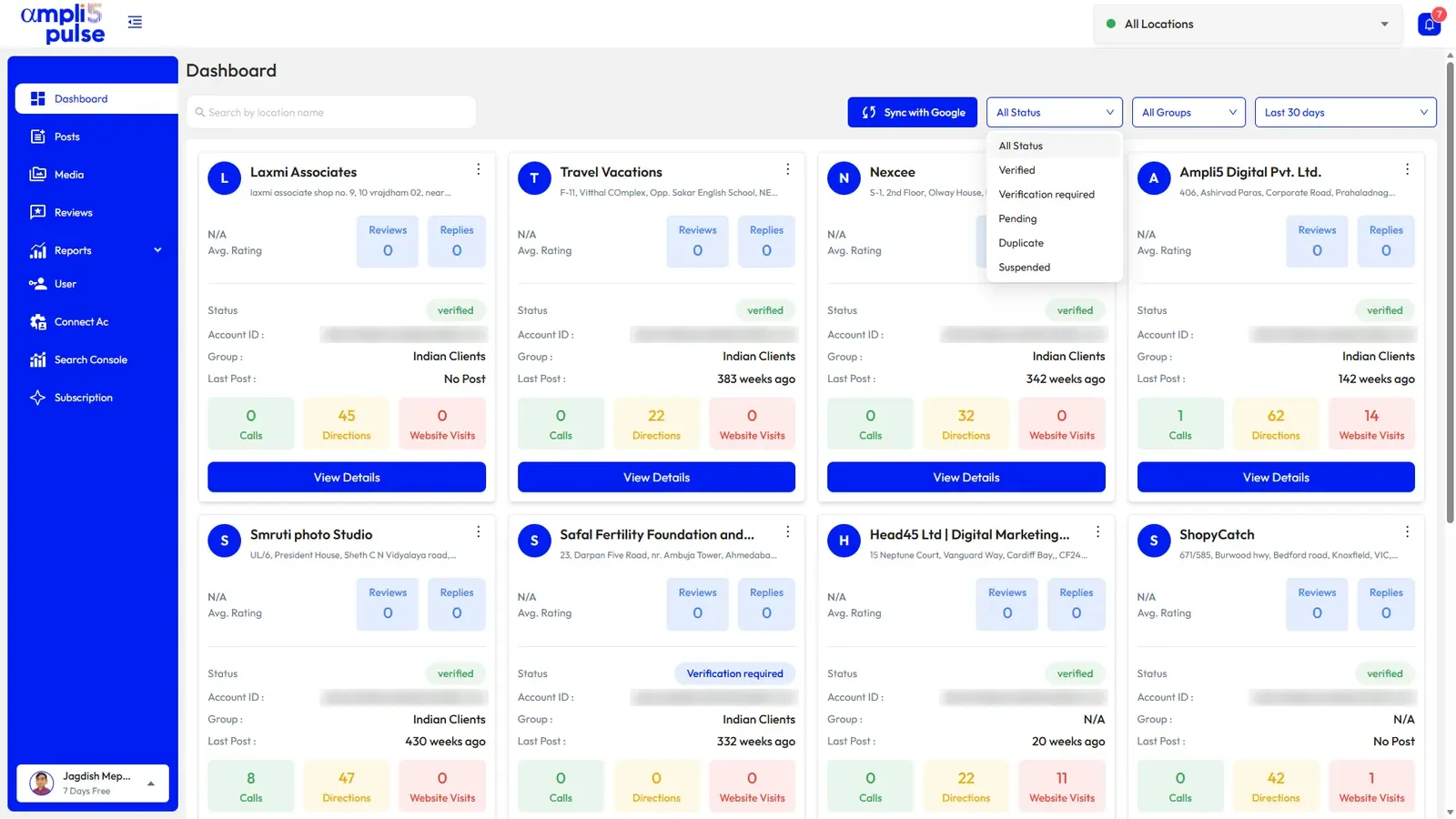
To discuss your case, talk to the team. To keep every location in view afterwards, start a product walkthrough of Ampli5 Pulse (subject to availability).