Updated October 2026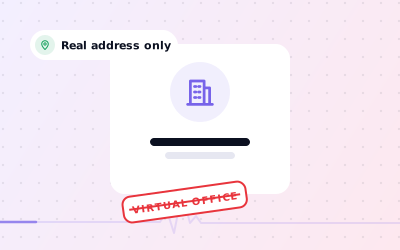
 In short
- Virtual offices, PO boxes and remote mailboxes are not eligible addresses for a Google Business Profile.
- A co-working office counts only if it has clear signage, your staff are there and customers visit during business hours.
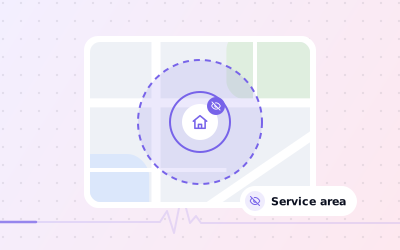
- Working from home or visiting customers? Use a service-area profile and hide your address.
- An ineligible address can lead to suspension, and an appeal won't succeed until the address problem is fixed.
What Google's guidelines say about a virtual address
Start with the correct Google Account and a clear view of which business or location is involved. Platform interfaces can change, so use Google’s current Help instructions for sensitive account, policy or verification decisions.
The thinking behind the rules is simple. A profile with an address tells customers they can find you there. If they turn up at a mail-handling desk or a shared reception that has never heard of you, Google has sent them somewhere useless. That's why a Google My Business virtual address is one of the setups Google rules out most clearly.
| Address type | Eligible? | Why |
|---|---|---|
| Virtual office (mail handling, call answering) | No | You don't operate there |
| PO box or mailbox service | No | Not a place customers can visit |
| Registered office at your accountant or solicitor | No, unless you work there | A registration address isn't where you operate |
| Co-working hot desk or day pass | No | No permanent signage or staffed office |
| Private office in a co-working building | Yes, if it meets all three conditions | Clear signage, your staff during business hours, customers received there |
| Your home, when customers don't visit | Yes, as a service-area business | Hide the address and list service areas |
| Shop, clinic, studio or office you staff | Yes | A real place customers can visit |
Virtual office Google My Business rules: why Google is strict
Virtual addresses have long been used to make a business look local in towns where it has no presence: one company, a handful of rented addresses, a profile in each. That crowds out businesses that really are on the high street, so Google treats it as misrepresenting your location.
Google has several ways to check an address. It can ask you to verify with a video showing your signage and premises, it can compare the address with other information it holds, and anyone can suggest an edit or report a listing they believe is misleading. A virtual address may go unnoticed for a while, but each of these checks is a point where it can fail.
Using a virtual office for Google My Business is risky even when your intentions are honest. Plenty of small firms use one simply because it looks more professional on a letterhead. That's fine for your post and your company registration. It just doesn't belong on your Google profile.
When a co-working space or serviced office is allowed
Google says businesses can't list an office at a co-working space unless that office maintains clear signage, receives customers at the location during business hours, and is staffed during business hours by your own staff. All three conditions apply, not just one of them.
- Your business name on permanent signage at the office or suite, not just a name on the reception list
- Your own team working there during the hours shown on your profile
- Customers or clients visiting you there during those hours
- A dedicated office or suite rather than a hot desk
- A membership or lease agreement in your business's name
- Enough to show on a video: the street, the building entrance, your signage and your workspace
What can go wrong with a virtual address
- Verification can fail, because you can't show signage, staff or premises on video.
- The profile can be suspended, which hides it from Google Search and Maps until an appeal succeeds.
- The reviews and photos you've built up stop being seen while the profile is suspended.
- Customers who ask for directions arrive at an address where you aren't.
- Competitors can suggest edits or report the listing, which prompts Google to take a closer look.
If your profile is already suspended, read our suspended profile guide. Profiles don't come back because an appeal is well worded: you need to fix the underlying setup first, then show evidence that the business genuinely operates as described.
Compliant alternatives to a virtual office address
Work through the checks in order, documenting significant changes when more than one colleague manages the profile.
| Your situation | Compliant setup |
|---|---|
| You work from home and visit customers | A service-area profile: your home address stays hidden and you list the towns you serve |
| You meet clients in person at their offices | A service-area profile based at your genuine base |
| You have an office or studio customers visit | Show that address, with permanent signage |
| You want to appear in several cities | One profile for your real base with service areas; add locations only when you open staffed premises |
| You only trade online and never meet customers | Not eligible for a Business Profile; focus on your website and other channels |
For the service-area route, see how to hide your address. If you sell online but also deliver or meet customers in person, our guide to Google Business Profile for online businesses explains where the line sits.
How to move your profile off a virtual address
Decide which setup fits
Use the table above: real premises, a staffed co-working office or a service-area business.
Open your location settings
Sign in, select Edit profile, then Location, then Edit next to Business location.
Enter your genuine address
Type the address where you actually operate. For a service-area business, this is usually your home or base.
Hide it if customers don't visit
Turn off Show business address to customers, then add up to 20 service areas.
Save and verify
Save the change and complete any verification Google asks for. A move after verification usually means verifying again.
Clean up elsewhere
Stop presenting the virtual address as your trading location on your website and directories, so they don't contradict your profile.
Our step-by-step guide to changing your business address covers the edit itself, including moving the map pin. Google sometimes moves these menus, so the labels on your screen may differ slightly.