

 Updated October 2026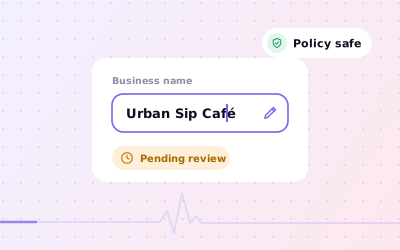
 In short
- Edit the name in Google Search, the Google Maps app or Business Profile Manager, under Edit profile.
- Your name must match your real-world signage, stationery and branding, with no added keywords, locations or taglines.
- Google reviews name changes and may ask you to verify again.
- A complete rebrand can count as a new business under Google's rules, so check the criteria before you edit.
How to change business name in Google Maps and Search
Start with the correct Google Account and a clear view of which business or location is involved. Platform interfaces can change, so use Google’s current Help instructions for sensitive account, policy or verification decisions.
On a computer or in Google Search
Open your profile
Search for your business name on Google, or go to business.google.com and choose the location.
Select Edit profile
Your business information opens, with the name near the top.
Edit the business name
Select the name field and type the new name exactly as it appears on your signage.
Save
Select Save. Google reviews the change before it appears on your profile.
How to change business name on Google Maps in the app
Tap Business
Open Google Maps, signed in to the right account, and tap Business at the bottom right.
Tap Edit profile
Choose the right business first if you manage several.
Change the name
Tap the business name, enter the new one and tap Save.
Google's real-world name rule
Google asks you to enter your business name exactly as it appears on your real-world signage, stationery and other branding, and its guidelines say adding unnecessary information to the name isn't permitted. To include special characters or legal terms in your name, Google says you must be able to provide real-world proof.
Things Google doesn't want in the name field:
- Marketing taglines, such as ‘your local experts’
- Store codes or branch numbers
- Opening hours, phone numbers or website addresses
- Services or products that aren't part of the real name
- Locations or directions, such as ‘near the station’, unless they're genuinely part of the name
| Name on the profile | Allowed? | Why |
|---|---|---|
| Northfield Plumbing & Heating | Yes | Matches the vans, website and invoices |
| Northfield Plumbing – Emergency Plumber Leeds 24/7 | No | Adds keywords, a location and hours |
| Navrang Family Dental | Yes | The name on the sign |
| Best Dentist Ahmedabad – Navrang Family Dental | No | Adds a claim and keywords |
| Greenleaf Pharmacy (opposite the station) | No | Adds directions |
| Harbour Lane Café Whitstable | Only if the sign says so | Location words must be part of the real name |
Why keywords don't belong in your business name
It's tempting. Some competitors have ‘plumber’ or a city tacked onto their name and seem to do well. But it's against Google's guidelines, anyone can suggest an edit to correct it, and it's a common reason for suspension. A suspended profile is hidden from Search and Maps until an appeal succeeds, which costs far more than any short-term gain.
Put your keywords where they belong instead: in your primary and additional categories, your services list, your business description, your posts and your website.
Rebrands: minor name change or a new business?
This is where many businesses get caught out. Google's guidelines say a profile may be eligible for rebranding, meaning a name change without creating a new profile, when it's a minor change in which the proper nouns and services described in the name stay the same, and the business category stays the same. Businesses with multiple locations whose name changes may also be eligible.
If a name change doesn't meet those criteria, Google says it's considered a new business: you should mark the existing profile as closed and create a new profile under the new name. Google's help on reviews says the same from the other side: reviews remain after a minor name change or a multi-location rename, but a change beyond that is treated as a new business.
| Change | Likely treatment |
|---|---|
| Smith and Sons Plumbing becomes Smith & Sons Plumbing | Minor change: edit the existing profile |
| Adding or dropping Ltd or Pvt Ltd | Minor change, though Google may ask for proof of legal terms |
| Every branch of a chain renamed at once | May be eligible as a multi-location rebrand |
| The Corner Café becomes Riverside Kitchen, same owners and category | Likely a new business under Google's rules |
| A hair salon becomes a skin clinic under a new name | A new business: the name and category both change |
Review, re-verification and how long it takes
Google reviews changes before they go live. Its help says that if you change your business name after verification, you might need to verify your business again, so be ready with evidence: signage showing the new name, registration or other business documents, and the ability to show your premises on video. Our verification guide explains each method.
- Change your sign, website and stationery first, so what Google sees in the real world matches the edit.
- Change only the name, then wait. Editing the name, address and category at once makes the review harder and cancels any pending verification code.
- Google doesn't publish a fixed time for name reviews: a small correction can appear quickly, while a bigger change can take days.
- Check your profile for a status message if the edit hasn't appeared after a few days.
What to update after you change your name
- Signage, vehicles and uniforms
- Your website, including the logo, page titles and footer
- Social media profiles and directory listings
- Invoices, receipts, menus, email signatures and booking confirmations
- Printed review cards and QR stands, so customers recognise the business they're reviewing
- Your profile's logo and cover photo
Publish a post on your profile explaining the new name, and mention it in your review replies for a few weeks so returning customers know they've found the right business.
If Google rejects or reverts your new name
If your new name doesn't appear, or Google sets it back, compare it word for word with your signage and website. Remove anything that isn't part of the real name, then save it again. If the name is genuinely correct, gather proof, such as photos of the sign and registration documents, and contact Google through the Help Center's support options. If the profile has been suspended, start with our suspension guide.
Sources: Google Business Profile Help: Guidelines for representing your business on Google; Google Business Profile Help: Edit your Business Profile; Google Business Profile Help: Move your reviews across Business Profiles.