Updated October 2026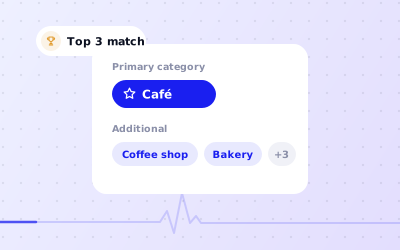
 In short
- Choose one primary category for your main business, then up to nine additional categories for other things you genuinely do.
- Google doesn't publish a simple downloadable list. Type in the category box on your profile to see the options for your country and language.
- Be specific and accurate: "Indian restaurant" rather than "Restaurant", but never add categories for services you don't offer.
- Changing your primary category is a significant edit and can trigger a review or re-verification, so change it only for a good reason.
How Google Business Profile categories work
Start with the correct Google Account and a clear view of which business or location is involved.Platform interfaces can change, so use Google’s current Help instructions for sensitive account, policy or verification decisions.
The primary category describes your business as a whole, such as "Dentist", "Hair salon" or "Plumber". It appears under your business name on Google Maps and Search, and it's one of the clearest signals Google has about which searches you're relevant to. Google says local results are based mainly on relevance, distance and prominence, and your categories feed directly into relevance.
Additional categories cover other things you genuinely do. A dentist that also offers orthodontic treatment might add "Orthodontist". They help you appear for those searches, but they carry less weight than the primary category.
Categories also change what your profile can show
- Restaurants and cafés can show menus and links for ordering or reservations
- Hotels get hotel-specific details, such as amenities and check-in information
- Many service categories let you list services, and many retail categories let you add products
- Some categories can show appointment or booking links
- The attributes you can tick, such as accessibility or payment options, depend on your categories
Where to find the list of Google My Business categories
Looking for a list of categories Google My Business owners can download? Google doesn't publish one as a simple page. The list changes as Google adds, renames and removes categories, and names differ by country and language. These are the reliable ways to find the right options:
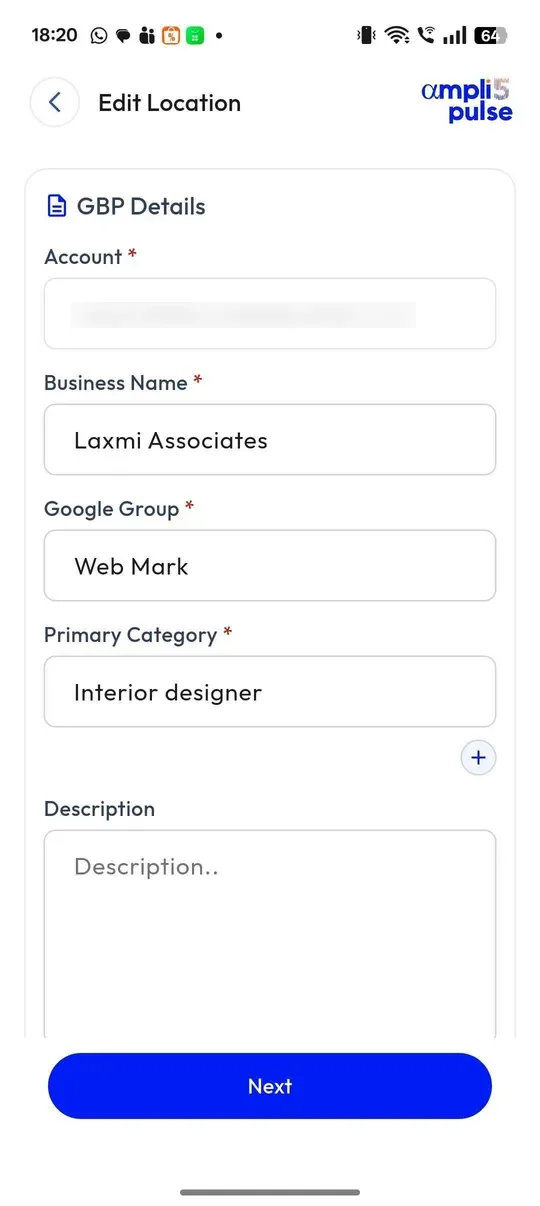
- Type into the category field. Edit your profile's business information and start typing what you do. Google suggests matching categories as you type. Try several words: "dental", "dentist", "teeth", "orthodontic".
- Look at competitors. Search for businesses like yours on Google Maps. The primary category shows under each business name.
- Use Google's API, if you're technical. Developers can pull the full list for a country and language from the Google Business Profile APIs, documented on developers.google.com.
- Use third-party lists with care. Many websites publish Google Business Profile categories lists. They're useful for ideas, but they go out of date and may not match your country.
How to choose your primary category
Your primary category is the most important category decision you'll make. Work through these steps rather than picking the first option Google suggests.
Write down what you do
List your main services or products, and circle the one most customers come to you for.
Describe it in the customer's words
Think about what people type into Google: "vegan café", "emergency plumber", "physio near me".
Search the category field
Type several versions of those words into the category box and note every option that fits.
Check the businesses that show up
Search your main service on Google Maps in your area and note the primary categories of the businesses that appear.
Pick the most specific accurate option
Choose the narrowest category that describes your main business. "Indian restaurant" beats "Restaurant" for an Indian restaurant, but don't pick "Vegan restaurant" unless the whole menu is vegan.
Choosing additional categories (up to nine)
Work through the checks in order, documenting significant changes when more than one colleague manages the profile.
- Add a category for each distinct service customers actively search for, such as "Cosmetic dentist" for a dental practice that offers whitening and veneers
- Skip categories for small sidelines that customers wouldn't choose you for
- Don't repeat your primary category in different words
- Don't add categories for things you don't do, even if competitors do
- Don't use categories to describe your customers or location; use services, the description and your service areas for that
Once your categories are set, your services list and business description do the rest of the work, covering the details that categories can't.
Google Business Profile categories by industry: examples
The table shows how typical local businesses might combine a primary category with additional ones. Use it as a starting point, then check the exact names in your own profile, as they vary by country.
| Business | Primary category | Additional categories to consider |
|---|---|---|
| Café serving breakfast and brunch | Coffee shop or Cafe | Breakfast restaurant, Brunch restaurant, Bakery |
| Indian restaurant with takeaway | Indian restaurant | North Indian restaurant, Vegetarian restaurant, Caterer |
| Dental practice | Dentist | Cosmetic dentist, Emergency dental service, Orthodontist |
| Hair and beauty salon | Hair salon | Beauty salon, Nail salon, Barber shop |
| Plumbing and heating firm | Plumber | Heating contractor, Drainage service, Bathroom remodeler |
| Gym with classes | Gym | Fitness centre, Personal trainer, Yoga studio |
| Estate agency | Estate agent or Real estate agency | Letting agent, Property management company |
| Accountancy practice | Accountant | Tax consultant, Bookkeeping service, Tax preparation service |
| Physiotherapy clinic | Physiotherapist | Massage therapist, Physical therapy clinic, Osteopath |
| Garage | Auto repair shop | Tyre shop, Brake shop, Oil change service |
| Veterinary practice | Veterinarian | Animal hospital, Emergency veterinarian service, Pet groomer |
| Independent clothing shop | Women's clothing store | Clothing store, Boutique, Bridal shop |
Notice that each additional category is something customers would search for separately. A gym doesn't add "Shower" or "Car park"; those belong in attributes or the description.
Changing categories and the risk of re-verification
You can change your categories at any time from your profile's edit options in Google Search, the Google Maps app or Business Profile Manager. Look for the business information or category section. Google sometimes moves these menus, but the category field always sits with your name and description.
Open your profile's edit options
Search for your business name while signed in, or open your profile in the Maps app or at business.google.com, and choose to edit the profile.
Edit the category
Open the business category section, then change the primary category or add, remove or reorder additional categories.
Save and check the result
Save your changes. Some edits go live quickly, while others show as under review until Google has checked them.
When a change is worth making
- Your main service has genuinely changed, for example a café that has become a restaurant
- Google has added a more specific category that describes you better
- Your current primary category is plainly wrong or too vague
- Google has changed your category itself; check it, and correct it if it's wrong
Keeping categories right across every location
For a network of branches, record the responsible person, the approved information and the completion status for each location. This makes it easier to spot omissions without assuming that one change applies everywhere.
Not sure which categories fit? The Ampli5 team runs category and optimisation audits as part of its done-for-you service. Talk to the team, or continue with our Google Business Profile optimisation guide.
Sources: Google Business Profile Help: Manage your business category; Google Business Profile Help: Edit your Business Profile; Google Business Profile Help: Guidelines for representing your business on Google.