Updated October 2026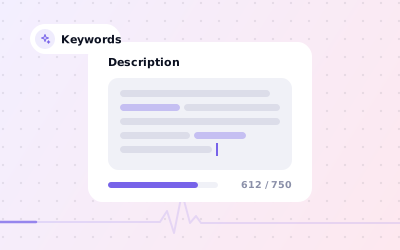
 In short
- You get up to 750 characters of plain text, with no links or HTML, shown in the From the business section of your profile.
- Lead with what you do and where, then what makes you different, how long you've traded and practical details.
- Use the words customers search for once or twice, naturally; lists of keywords read as spam and can get the edit rejected.
- Keep prices, offers and sales out of it: Google posts are the place for those.
What the Google My Business description is
Start with the correct Google Account and a clear view of which business or location is involved. Platform interfaces can change, so use Google’s current Help instructions for sensitive account, policy or verification decisions.
It's one of the few places on your profile where you choose the words. Your name, address, hours and categories are facts in fixed fields. The description is where you explain what you actually do, who you do it for and why someone should pick you over the next result.
| Rule | What it means |
|---|---|
| Length | Up to 750 characters, including spaces |
| Links | Not allowed: no website addresses or URLs |
| HTML and formatting | Not allowed: plain text only |
| Promotions and prices | Keep them out: the description is about the business, not this month's offer |
| Where it appears | The From the business section of your profile on Search and Maps |
| Who can edit it | Owners and managers of the profile |
| Review | Google checks each change before it goes live on your profile |
What to include in your Google Business Profile description
Google's own guidance suggests covering what you offer, what makes you special, how long you've been in business and anything else that's helpful for customers to know. In practice, a strong description answers the questions a new customer has in the first few seconds.
- What you do, in specific terms: ‘independent café and bakery’, not ‘food business’
- Where you are, or the towns and districts you serve
- Your main services or products, named the way customers search for them
- What sets you apart: specialisms, qualifications, methods or awards you can back up
- How long you've been trading, if it builds trust
- Practical details: parking, step-free access, languages spoken, appointments or walk-ins
- Who you serve: families, landlords, start-ups, older adults and so on
A simple structure that fits 750 characters
Open with who and where
One sentence that says what kind of business you are and where. This is the part most likely to be read, so make it count.
Name your main services
Two or three sentences covering the services or products people come to you for, in plain words.
Give a reason to choose you
One or two sentences on what's different: experience, a specialism, a guarantee you genuinely offer, or how you work.
Finish with practical details
Close with access, languages, booking style or opening patterns that help someone decide to visit or call.
Aim to use most of the 750 characters, but don't pad. A clear 550-character description beats a 750-character one full of filler. Write it in a document first so you can check the character count before you paste it into Google.
How to use keywords without stuffing
Google says local results are based mainly on relevance, distance and prominence. Your description supports relevance in the plainest sense: it tells customers, and Google, what you do. Google doesn't publish how much weight it gives the description itself, so treat it as a sales pitch that happens to contain the right words, not a ranking trick.
Use the phrases your customers use. If people search for ‘boiler repair’, say boiler repair rather than ‘heating solutions’. Mention your town or neighbourhood once or twice where it reads naturally. That's enough.
Dentist Ahmedabad, best dentist in Ahmedabad, dental clinic Ahmedabad, dentist near me, teeth whitening Ahmedabad, dental implants Ahmedabad, cheap dentist Ahmedabad.
Our clinic in Navrangpura, Ahmedabad, offers check-ups, teeth whitening and dental implants for adults and children, with evening and Saturday appointments.
- Don't repeat your business name, phone number or website: they already have their own fields.
- Don't list every town in the region. If you visit customers, use the service area setting for that.
- Make sure your main service is also covered by your categories and services list, the structured fields that describe what you do.
- Avoid ‘best’ or ‘number one’ unless you can point to the award or ranking behind the claim.
What Google won't accept in a description
Google checks descriptions against its guidelines for representing your business, and edits that break them can be rejected. The rules are short, and most rejected descriptions break one of these:
- Links or URLs, including shortened links
- HTML code or formatting
- Special offers, prices and sales: publish them as Google posts instead
- Content that has nothing to do with your business
- Misleading claims about what you offer, your qualifications or your location
- Offensive, explicit or abusive language
Google business description examples by industry
These Google My Business description examples follow the structure above in different trades. The businesses are made up: swap in your own facts, services and area, and only claim what's true. Each one is under 750 characters.
[Business name] is a [type of business] in [neighbourhood, town]. We offer [main service], [second service] and [third service] for [who you serve]. [What makes you different: experience, specialism, qualification or approach]. Since [year], we've [a fact that builds trust]. [Practical details: parking, access, languages, appointments or walk-ins].
Harbour Lane Café is an independent café in Whitstable, a two-minute walk from the seafront. We roast our own coffee in small batches and bake bread, cakes and pastries on site every morning. Breakfast runs until 11:30, and our lunch menu changes with the seasons, using produce from Kent farms. There are vegan, vegetarian and gluten-free options every day, a children's menu, and room for prams and wheelchairs. Dogs are welcome on the terrace. Open since 2016, we're a relaxed spot for remote workers, with free Wi-Fi and sockets at most tables. Our coffee beans are also sold by the bag to take home.
Navrang Family Dental has looked after families in Navrangpura, Ahmedabad, since 2009. Our dentists offer check-ups, scaling and polishing, fillings, root canal treatment, crowns and bridges, dental implants and clear aligners. We see children from the age of three and offer same-day emergency appointments for toothache and broken teeth where possible. The clinic is on the first floor with lift access, and appointments are available in the evenings and on Saturdays. Our team speaks Gujarati, Hindi and English. Every treatment starts with a clear explanation of the options and costs before any work begins.
Willow and Wren is a hair salon in Clifton, Bristol, specialising in colour, balayage and precision cutting for all hair types. Our stylists hold advanced colour qualifications, and we offer free consultations and skin tests before any new colour service. We also do blow-dries, bridal hair and smoothing treatments. We use vegan, cruelty-free products and recycle our salon waste. Appointments run late on Thursdays and Fridays, and we're a short walk from the Clifton Triangle bus stops. Whether you want a quick trim or a complete change, we'll talk you through what suits your hair and your routine.
Northfield Plumbing and Heating is a family-run, Gas Safe registered business serving homes across Leeds, Wakefield and Harrogate. We install and service combi boilers, repair leaks, fit bathrooms and clear blocked drains, and we provide landlord gas safety certificates. Our engineers carry common parts in their vans, so most repairs are finished in a single visit. You get a fixed quote before any work starts, and we leave every job clean and tidy. Founded in 2011, we work with homeowners, landlords and letting agents, and every boiler installation comes with a manufacturer's warranty.
Mehta and Rao Associates is a chartered accountancy firm in Koramangala, Bengaluru, working with start-ups, small businesses and salaried professionals. We handle GST registration and returns, income tax filing, TDS compliance, company incorporation, bookkeeping and statutory audits. Our partners have worked with technology start-ups and online sellers for over 15 years. We explain deadlines and paperwork in plain language and send reminders before each due date. Meetings are available at our office, by video call or at your premises, in English, Kannada, Hindi or Telugu.
Spice Route Kitchen serves home-style North Indian food in Sector 29, Gurugram. Our menu focuses on slow-cooked curries, tandoor breads and kebabs, with a separate Jain menu and plenty of vegetarian and vegan dishes. Spices are ground fresh in our kitchen every morning, and we use no artificial colours. The restaurant seats 80 across two floors, with a private room for birthdays and office lunches. We offer takeaway, delivery within Gurugram and catering for events of up to 200 guests. There's basement parking, and the ground floor is step-free.
Forge Fitness is an independent strength and conditioning gym in Didsbury, Manchester. We focus on small-group training, with no more than eight people per class, and one-to-one sessions with qualified coaches. Classes cover strength, kettlebells, mobility and beginner barbell technique, and every new member starts with a free induction. The gym has a dedicated lifting area, changing rooms with showers and secure bike storage. We open early and close late on weekdays, with classes on Saturday and Sunday mornings. Members range from complete beginners to competitive lifters, and we adapt sessions for injuries and older adults.
How to add or edit your description
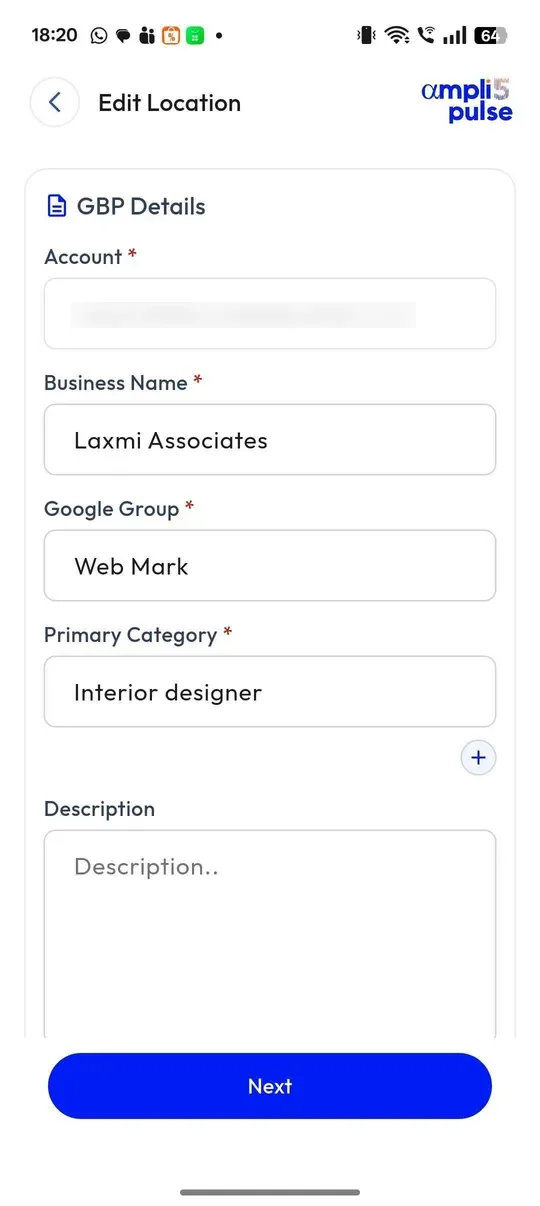
The Google My Business app was retired in 2022, so you now edit your description directly in Google Search, the Google Maps app, or Business Profile Manager on the web at business.google.com. Google moves these menus from time to time, so the labels on your screen may differ slightly.
Sign in to the right account
Use the Google account that owns or manages the profile.
Open your profile
Search for your business name on Google or go to business.google.com. In the Google Maps app, tap Business.
Select Edit profile
This opens your business information.
Find the description field
It sits with your business information, near the name and category.
Paste your text
Paste the description you prepared and check it stays within 750 characters.
Save and check
Select Save. Google reviews the change before it goes live, so check back later to confirm it shows on your profile.
Our guide to updating your Google Business Profile covers the other fields worth checking while you're there.
Keeping the Work Consistent Across Locations
For a network of branches, record the responsible person, the approved information and the completion status for each location. This makes it easier to spot omissions without assuming that one change applies everywhere.
Sources: Google Business Profile Help: Edit your Business Profile; Google Business Profile Help: Guidelines for representing your business on Google; Google Business Profile Help: Manage your Business Profile description.