Free, no sign-up needed
 Create your QR code
 Explore the Platform


 In short
- Copy the share review form link from your Business Profile, or your Place ID, paste it into the generator on this page and download the QR code.
- Because the code holds the link itself, it has no expiry date, and each branch needs its own code since every location has its own review form.
- Show the code to every customer and never offer discounts or prizes for reviews, because Google prohibits both review gating and incentives.
How to creating a Google Review QR Code: A Practical Process
Start with the correct Google Account and a clear view of which business or location is involved. Platform interfaces can change, so use Google’s current Help instructions for sensitive account, policy or verification decisions.
Option 1: copy the share review form link
Sign in
Sign in to the Google account that owns or manages your Business Profile.
Open your profile
Search for your business name on Google, or open your Business Profile in the Google Maps app.
Find the review request option
Look for the button that asks customers for reviews, usually labelled 'Ask for reviews' or 'Get more reviews'. Google moves and renames these options from time to time, so check near your reviews if you can't see it.
Copy the link
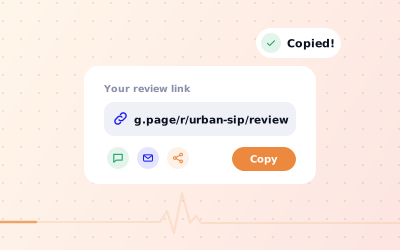
Copy the share review form link. It is usually a short link that starts with g.page.
Turn it into a QR code
Paste the link into the free generator on this page and download your code.
Some accounts also see a ready-made QR code in the same panel. If you have one, you can download and use it. If you don't, the generator above does the same job and the code opens the same form.
Option 2: create a QR code for Google reviews from your Place ID
Every place on Google Maps has a Place ID, a long code that identifies it. Find yours by searching for your business name in Google's Place ID Finder, then paste the Place ID into the generator. It builds a link in this format: https://search.google.com/local/writereview?placeid=YOUR_PLACE_ID. Our guide to your Google review link explains both link types in more detail.
How to use the free Google review QR code generator
The QR code generator for Google reviews on this page turns your review link or Place ID into a QR code you can download and print. It works entirely in your browser: nothing you paste is sent to us or stored, and you don't need an account. It's a quick, free Google reviews QR code generator: the simplest way to make a QR code for Google reviews for one location.
Paste your link or Place ID
Paste your share review form link, a writereview link or your Place ID into the box.
Check the preview
Your QR code appears straight away. Check that the link it points to is the one you meant to use.
Download the image
Download the QR code and save it somewhere your team can find it again, such as a shared drive.
Scan it yourself
Scan the downloaded image from your screen with your phone camera and confirm it opens your review form.
Add it to your designs
Place it on table cards, counter signs, receipts or bills. Label it, too: a 'Review us on Google' QR code with a short line beside it tells customers exactly what it's for.
Because the code holds the link itself (a static QR code), it has no expiry date and no subscription behind it. It keeps working as long as the link does. If you manage several branches, generate a QR code for each Google review form separately, since every location has its own.
Where to place your QR code for Google reviews
The best spots are where a customer has just had a good experience and has a moment with their phone. Think about the end of the visit rather than the start, and put the code where people naturally pause.
| Business | Good places for the code | When customers see it |
|---|---|---|
| Café or restaurant | Table tents, the bill folder, takeaway bags | While waiting for the bill or after eating |
| Salon or spa | Mirror stations, reception, aftercare cards | At the end of the appointment |
| Clinic or dental practice | Reception, appointment cards, follow-up letters | At checkout or the next day |
| Shop | Counter sign, receipts, carrier bags, packaging | At the till or when unpacking at home |
| Hotel or guest house | Room cards, the check-out desk, the bill | During the stay and at check-out |
| Home services | Invoices, leave-behind cards, the van | When the job is finished |
Print size and scanning tips
- Print the code at least 2 × 2 cm. As a rule of thumb, make it about a tenth as wide as the scanning distance, so a poster read from 2 metres needs a code around 20 cm wide.
- Use dark squares on a light background with strong contrast. Avoid inverted colours and busy patterns behind the code.
- Leave a clear margin (the quiet zone) around the code so phone cameras can find its edges.
- Avoid glossy laminate under bright lights, which causes glare, and curved surfaces that distort the code.
- Add a call to action next to it, such as 'Scan to review us on Google'.
- Put the location name beside each code if you run several branches.
Turn scans into reviews, the right way
A QR code works best alongside a short, friendly ask from your team. 'If you enjoyed today, the code on the table takes you straight to our Google review page' is enough. Ask every customer, not only the ones who seem happy, and never offer anything in return.
Enjoyed your visit? Scan to review us on Google. It only takes a moment and helps other locals find us.
Thank you for shopping with us. Tell us how we did: scan the code to leave a Google review.
Your feedback helps us improve. Scan here to share your experience on Google.
Thanks for coming in today. If you have a minute, the code on the counter opens our Google review page. We read every one.
Once reviews start coming in, reply to them. A quick, personal reply shows future customers that someone reads them. Our guides on how to ask for Google reviews and replying to Google reviews cover the next steps.