Updated October 2026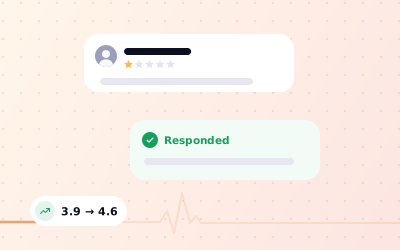
 In short
- Business owners can't delete reviews. Only the reviewer or Google can remove one, and Google only does so when a review breaks its policies.
- Report a review from your profile or in Google's Reviews Management Tool, check its status, and use the one-time appeal if the report is turned down.
- A calm public reply and a private fix often do more for your reputation than removal ever could.
- A steady flow of genuine new reviews means one bad rating carries far less weight.
Can you remove negative reviews on Google?
Start with the correct Google Account and a clear view of which business or location is involved. Platform interfaces can change, so use Google’s current Help instructions for sensitive account, policy or verification decisions.
So removing negative reviews from Google is really about one question: does this review break Google's rules? If it does, you have a fair chance of getting it taken down. If it is a genuine customer describing a bad experience, however harsh or unfair it feels, Google will almost always leave it up. In that case your energy is better spent on the reply, the fix and the next fifty reviews.
| The review | Can Google remove it? | What to do |
|---|---|---|
| A real customer, unhappy with your service | No, even if the tone is harsh | Reply publicly, then try to resolve it privately |
| Someone who was never a customer, or a fake account | Yes, if Google agrees it is fake engagement | Check your records, then report it |
| A competitor, a current or former employee, or a relative | Yes, it is a conflict of interest | Report it and note the connection |
| Threats, slurs, hate speech or harassment | Yes | Report it straight away |
| Someone's phone number, address or medical details | Yes, personal information is not allowed | Report it as personal information |
| A rant about politics, the news or another business | Usually, as off-topic content | Report it as off-topic |
| Adverts, links, repeated text or gibberish | Usually, as spam | Report it as spam |
| A low star rating with no text | Only if it is fake or otherwise breaks policy | Reply briefly and invite contact |
What qualifies for Google negative review removal
Google judges reviews against its prohibited and restricted content policy for Maps. Before you report anything, read the review slowly and match it to one of these categories. If you can't name the rule it breaks, Google probably won't find one either.
- Fake engagement: the review isn't based on a real experience, was posted from several accounts run by one person, or was paid for or incentivised.
- Conflict of interest: it was written by a competitor, a current or former employee, a contractor or someone with a personal tie to the business.
- Off-topic: it's about politics, social commentary, a news story or a different business, not a real experience of yours.
- Harassment, hate speech or offensive content: it attacks a named person, uses slurs, or threatens someone.
- Personal information: it includes private details such as a staff member's phone number, home address or health information.
- Obscenity and profanity: it contains sexually explicit or obscene language.
- Impersonation or misrepresentation: the reviewer pretends to be someone else, or misleads about who they are.
- Advertising, spam and repetitive content: it promotes another business, contains links or phone numbers for promotion, or repeats the same text.
What usually doesn't qualify
- A low rating from a real customer, with or without text.
- An opinion you disagree with, such as 'overpriced' or 'rude staff'.
- A review that gets some details wrong but describes a genuine visit.
- An old review. Age alone is never a reason for removal.
- A review written after a dispute over a refund, a deposit or a booking.
Google asks owners not to report reviews just because they disagree with them, and repeat reports of genuine reviews only bury the ones that matter. Our plain-English guide to Google's review policy explains each rule with examples.
How to get a negative Google review removed: step by step
You can report a review from your Business Profile in Google Search or the Google Maps app, or from Google's Reviews Management Tool. Both routes reach the same team. The tool is more useful because it also shows the status of each report and lets you appeal.
Match the review to a policy
Decide which rule it breaks: fake engagement, conflict of interest, off-topic, harassment, personal information and so on. Pick the closest one, not the most dramatic.
Gather your evidence
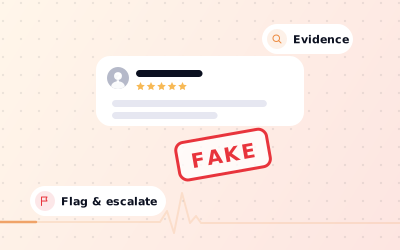
Check bookings, till records and CCTV dates for the name and day mentioned. Screenshot the review, the reviewer's public profile and any matching reviews on competitors' pages. Google won't ask for this on the report itself, but you'll need it for an appeal or a support request.
Report it from your profile
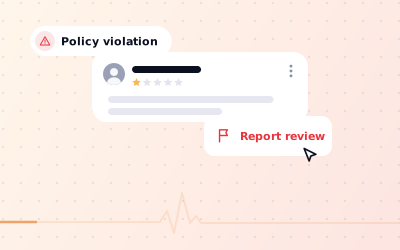
Sign in with the account that manages the profile, open your reviews, and use the flag icon or the three-dot menu next to the review. Choose the reason that fits and send the report.
Or report it in the Reviews Management Tool
Open the tool from the Business Profile Help Center, choose your business, select the option to report a new review, then pick the review and the reason. Report each review separately, once, with its own reason.
Check the status
Come back to the Reviews Management Tool after a few days. A report shows as decision pending, reviewed with no policy violation, or escalated while an appeal is being looked at.
Reply while you wait
Don't leave the review unanswered for days. A short, calm reply protects you with every customer who reads it, whatever Google decides.
Google says it usually takes several days to evaluate a flagged review. If the review is removed, it simply stops showing on your profile and your rating updates. You won't always get a message about it, so check the status in the tool rather than waiting for an email.
How to appeal if Google won't remove the review
If the status reads 'no policy violation', you can submit a one-time appeal for that review from the Reviews Management Tool. Google lets you appeal up to ten eligible reviews at once through a short form, then emails you the final decision. Reviews that break policy are removed. Reviews that don't stay live, and that decision is normally final.
What makes an appeal stronger
- Name the exact policy, in the words Google uses, rather than 'this is unfair'.
- Give facts Google can check: the reviewer mentions a treatment you don't offer, a branch that doesn't exist, or a date when you were closed.
- Point out patterns: several new accounts posting within hours, the same wording on different reviews, or the same people praising a nearby competitor.
- Keep it short and calm. A clear paragraph beats a long complaint.
If an appeal fails and you still believe a review is fake, use the 'Get support' or contact options in the Business Profile Help Center, or post in the Business Profile community, where product experts sometimes escalate clear cases. Our guide to removing fake Google reviews covers the evidence that helps most. For reviews that may be unlawful, such as a false claim of a crime, Google has a separate legal removal request process; speak to a solicitor or lawyer first.
How to respond to a negative review while you wait
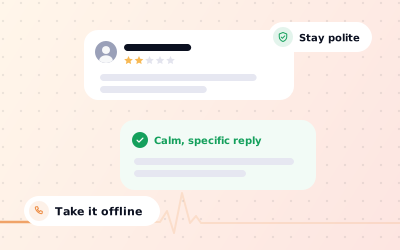
Most negative reviews will stay, so the reply matters more than the report. Your reply is public and permanent, and it is written for the next customer, not just the reviewer. People reading it want to see that you listened, that you're fair and that you fix things.
Hi Sam, thank you for telling us about Saturday. Waiting 40 minutes for a table you'd booked isn't good enough, and I'm sorry. We've changed how we stagger weekend bookings so it doesn't happen again. If you're willing, please email me at manager@yourbusiness.co.uk so I can put it right. Priya, General Manager
Hi Alex, we take every review seriously, but we can't find a visit or booking that matches this one. If you were with us, please contact us at hello@yourbusiness.co.uk with the date, and we'll look into it straight away.
- Reply within a day or two, once you've calmed down.
- Don't argue, accuse the reviewer of lying, or threaten legal action in public.
- Don't share anything private about the customer or their visit.
- Don't offer refunds or gifts in the reply, and never in exchange for changing the review.
For a full framework with more templates, read how to respond to a negative review on Google, or our wider guide to replying to Google reviews.
How to get rid of negative Google reviews by fixing the cause
Reviewers can edit or delete their own reviews at any time. The fairest way to see a genuine bad review change is to solve the problem that caused it. Contact the customer privately if you have their details, listen, and put things right. Many people update their review on their own once they feel heard.
You may politely let a customer know that, if they feel differently now, they're welcome to update their review. What you can't do is offer anything in return. Google's policy treats reviews posted or changed because of a refund, discount or gift as incentivised, and it removes them. Pressing someone to delete a review also tends to backfire publicly.
Use the bad reviews to find the real problem
Read your recent negative and mixed reviews together and group them by theme: waiting times, bookings, prices, cleanliness. One complaint is a story; the same complaint five times is a process to fix, and fixing it does more for your rating than any report.
Dilute a negative review with genuine new reviews
Your rating is an average, so the number of reviews behind it decides how much one bad rating moves it. A simple example: a business with 10 reviews averaging 4.8 stars drops to about 4.5 after one 1-star review. A business with 100 reviews averaging 4.8 only drops to about 4.76. The same review, a very different impact.
Newer reviews also appear near the top when people sort by newest, so a steady flow of recent, genuine reviews pushes an old complaint further out of sight. Ask every customer, not just the happy ones, and make it easy:
- Ask in person at the moment the customer is most pleased, such as when they pay or collect.
- Put a Google review QR code on tables, counters, receipts and bills.
- Send your Google review link in a follow-up message or email after the visit.
- Hand out a Google review card with your QR code on it.
- Brief your team with a short, friendly script from our guide on how to ask for Google reviews.