Profiles, reviews and rankings in one place
 Explore the Platform
 Request a Demo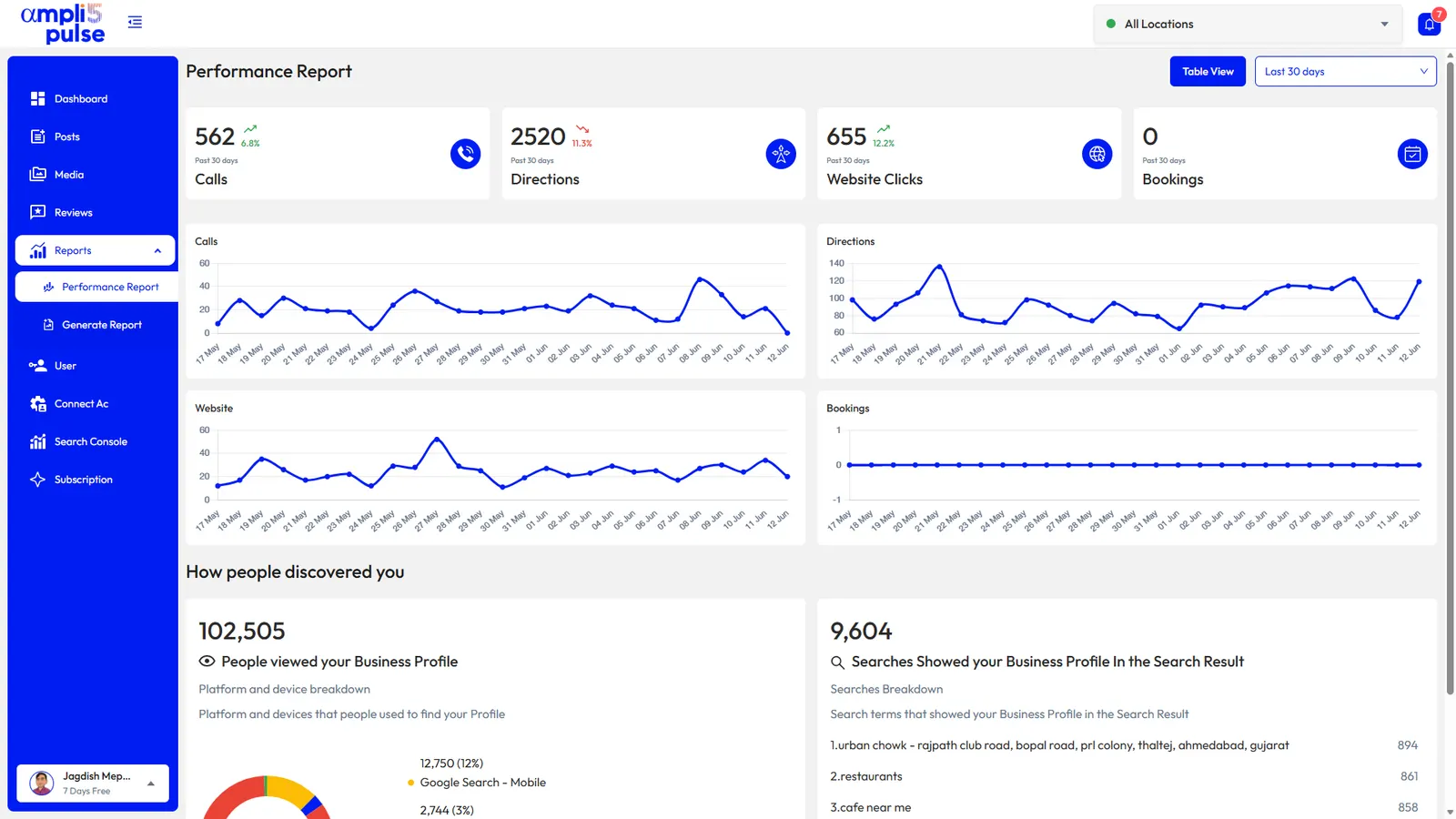


 In short
- The main local SEO tools cover Business Profile management, rank tracking, review management, Search Console, analytics, audit checklists and reporting.
- Google's own tools, including Business Profile, Search Console and Analytics, give first-hand data, but none is built to track Maps local pack positions over time.
- A good local SEO report shows whether more local customers are finding and contacting you, combining rankings with calls, directions, website clicks and bookings.
The main types of local SEO tool
Start with the correct Google Account and a clear view of which business or location is involved. Platform interfaces can change, so use Google’s current Help instructions for sensitive account, policy or verification decisions.
| Type of tool | What it does | Free options |
|---|---|---|
| Business Profile management | Edits hours, categories, photos, posts and other profile details | Google Business Profile itself |
| Rank tracking | Checks where you appear in Google Search and the Maps local pack for chosen keywords and places | Manual searches, which are limited |
| Review management | Collects, monitors and replies to reviews | Replying in your Business Profile, review links and QR codes |
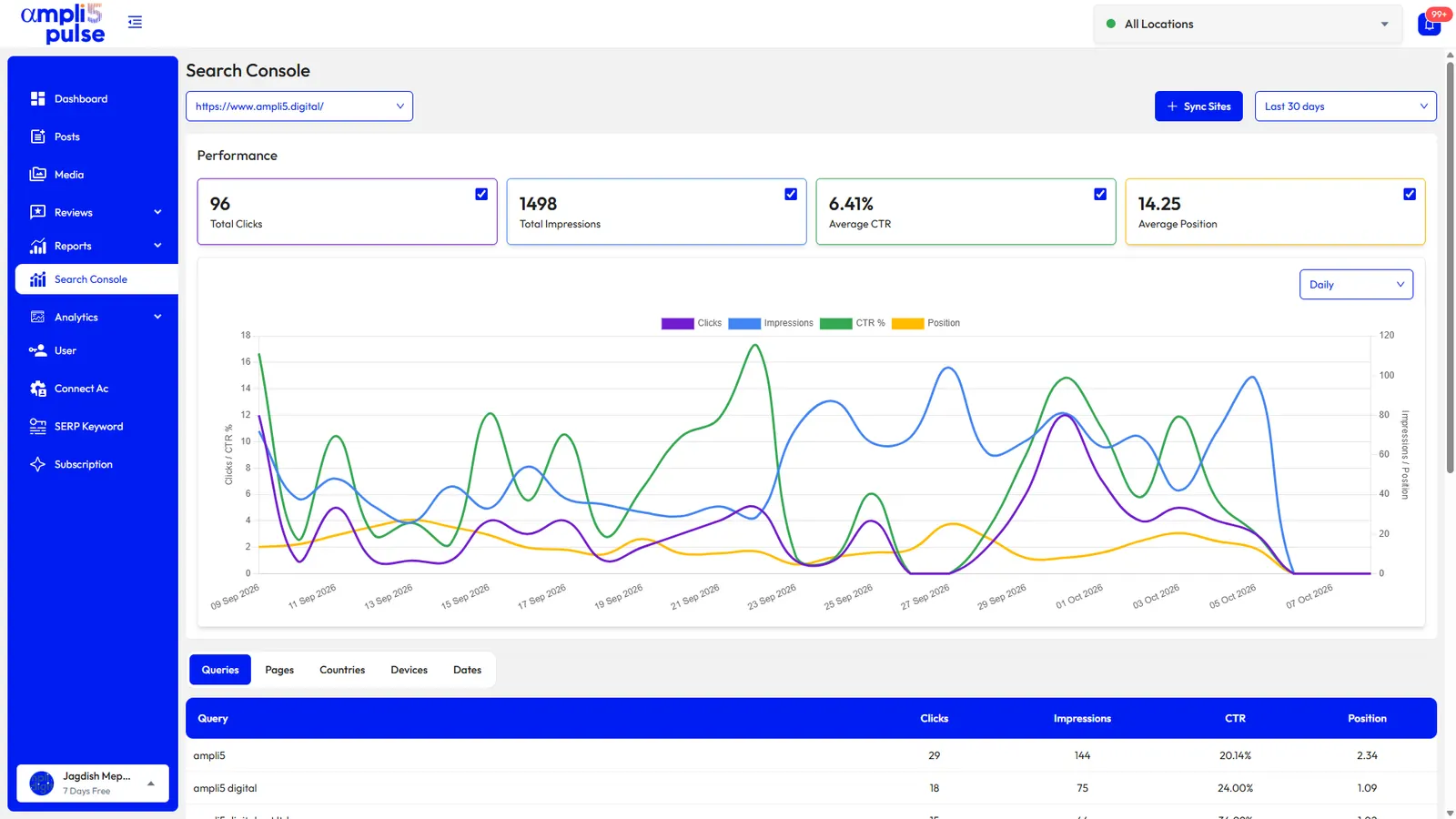
| Search Console | Shows the searches that bring people to your website, with clicks and impressions | Google Search Console |
| Analytics | Measures visits, enquiries and sales from your website | Google Analytics |
| Audit checklists | Find gaps in profiles and pages, such as missing categories or hours | Manual checklists |
| Reporting | Brings the numbers together for owners, managers or clients | Spreadsheets built by hand |
There are also tools for citations (keeping your name, address and phone number consistent on directories) and for technical website audits. Ampli5 Pulse doesn't build citations or crawl websites, so if those are priorities, pair it with a specialist tool. For a quick check of your profile, start with our Google Business Profile audit checklist.
Free local SEO tools worth using
You can do a lot without paying anything. These free tools mostly come from Google, so the data is first-hand rather than estimated.
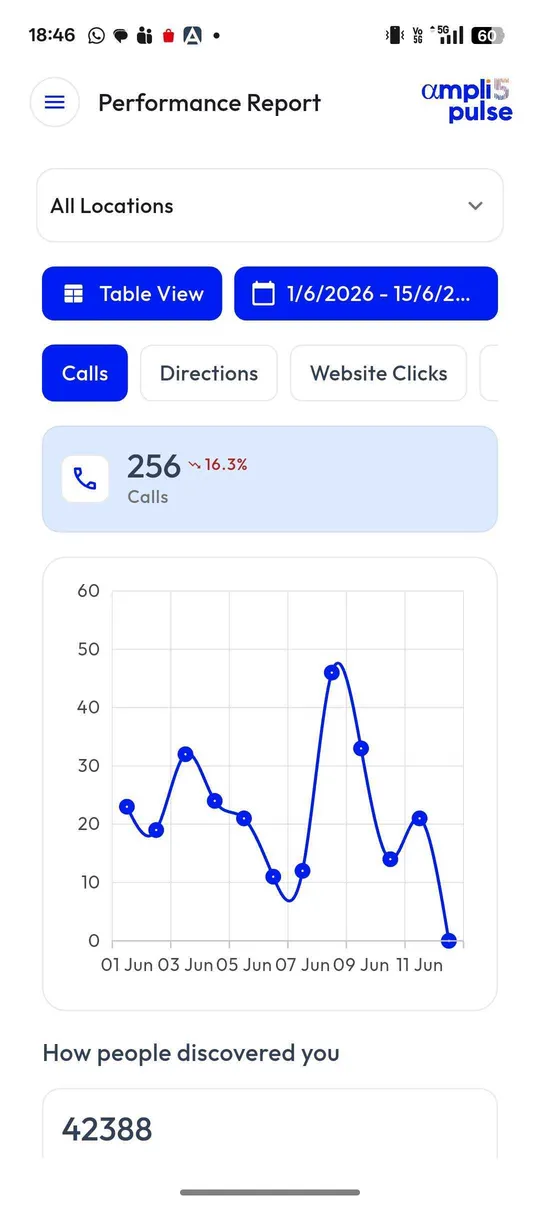
- Google Business Profile: manage your profile on Google Search, in the Google Maps app, or in Business Profile Manager (business.google.com) for many locations. Its performance view shows calls, direction requests, website clicks and the searches people used to find you.
- Google Search Console: shows the queries your website appears for, with clicks, impressions, click-through rate and average position.
- Google Analytics: measures what visitors do on your website. Add UTM tags to your profile's website link to separate Business Profile visits from other Google traffic.
- Google Keyword Planner: suggests keywords and shows search volume ranges. It sits inside Google Ads, so you need an Ads account, but you don't have to run ads.
- PageSpeed Insights and the Rich Results Test: check how quickly your pages load on mobile and whether your LocalBusiness structured data is valid.
- Free review tools: our Google review QR code generator and Google review link generator create links and codes for collecting reviews.
How to choose the best local SEO tools
The best local SEO tools are the ones your team will actually open every week. Before you compare feature lists, be clear about how many locations you manage and who needs to see the results.
- Locations: does it handle all your locations and let you group them by region, brand or client?
- First-hand Google data: does it connect to Business Profile, Search Console and Analytics with your own Google sign-in, rather than relying on estimates?
- Maps and Search rankings: can it track the local pack as well as organic results for each location's keywords?
- Reviews: can you see and reply to every location's reviews in one place?
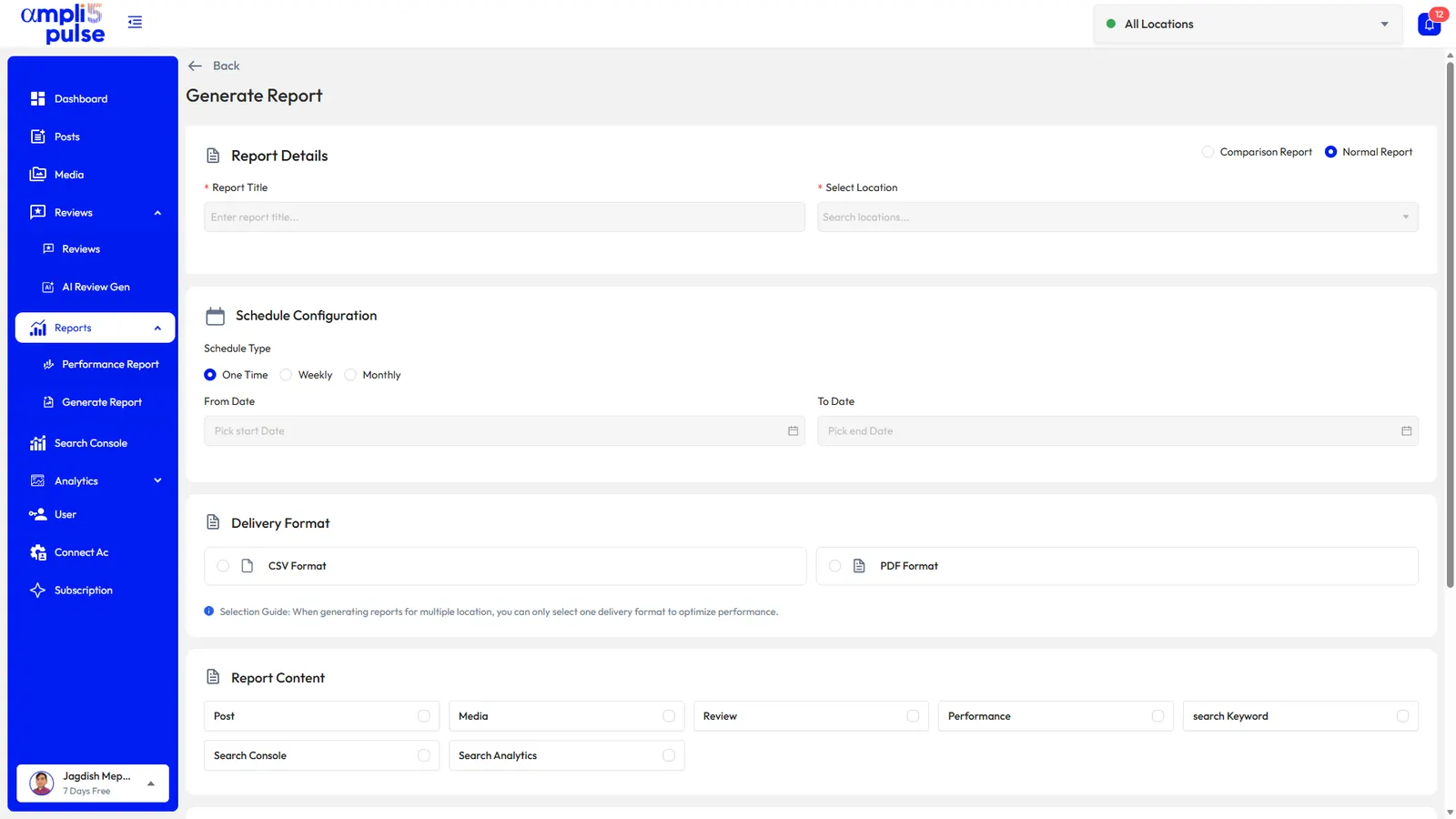
- Reporting: can it schedule reports, and brand them if you're an agency?
- Team access: can you control who edits profiles, replies to reviews or sees reports?
- Mobile: can store managers handle reviews and posts from their phone?
- Pricing model: is it priced per location, per user or per feature, and what happens as you grow?
- Trial: can you test it on your real profiles before you pay?
Be wary of any tool or provider that promises a improved operational visibility. Google decides local rankings, and nobody can guarantee a position. A good tool shows you what to improve and whether it's working.
Local SEO reporting tools: what a good report shows
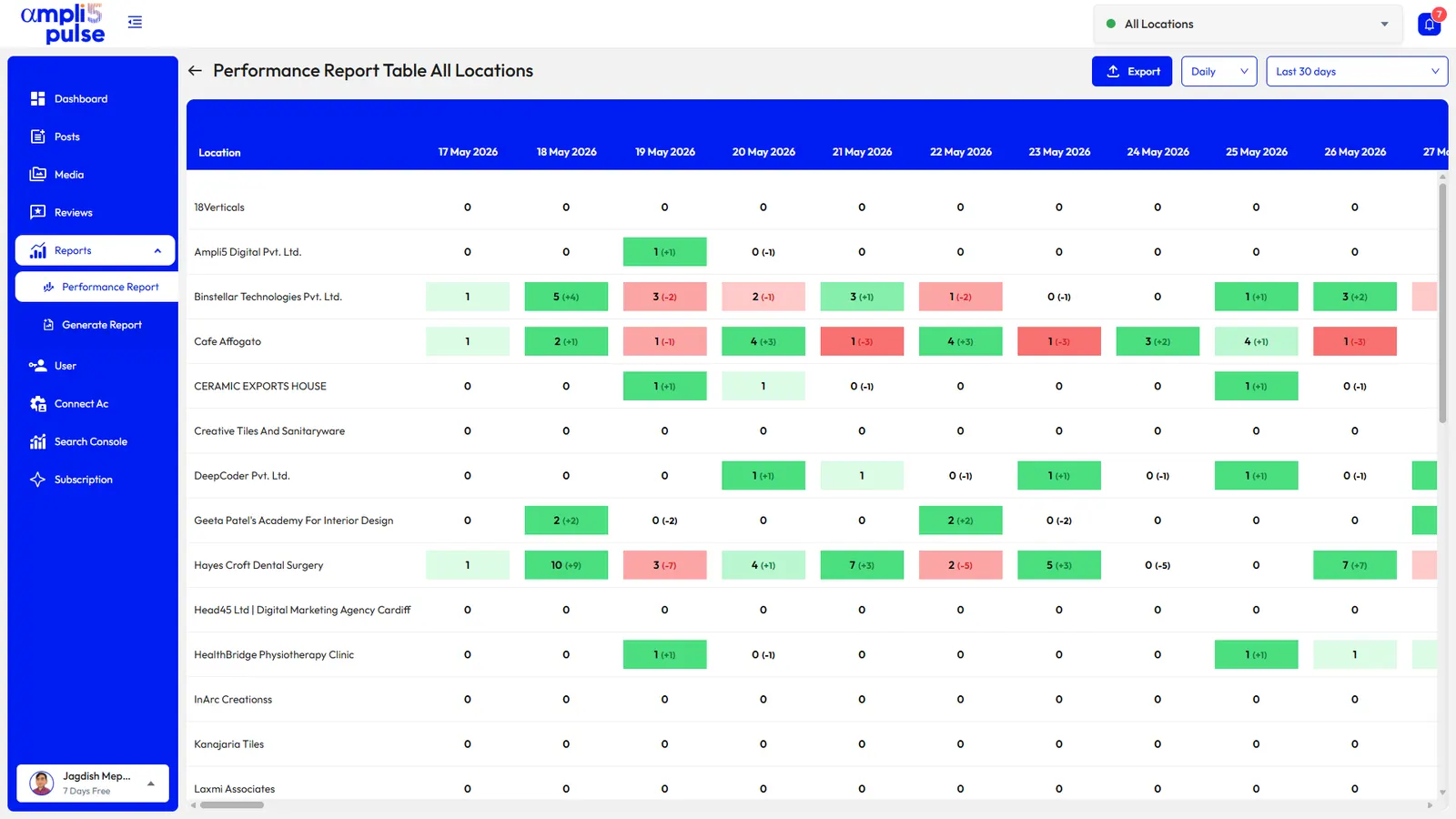
A local SEO report should answer one question: are more local customers finding and contacting the business? Rankings alone don't answer it, so combine visibility with the actions people take.
- Visibility: Search and Maps positions for your main keywords, plus how people discovered the profile.
- Actions: calls, direction requests, website clicks and bookings from Google.
- Reputation: new reviews, average rating, replies and recurring themes.
- Website: Search Console clicks and impressions, and Analytics visits from local search.
- Activity: posts published, photos added and profile changes made.
- Comparison: this period against the last, and each location against the group.
Agencies can send these as white-label reports under their own brand. For a wider look at platforms, read our guide to local SEO software, and see the local rank tracker page for how ranking data is collected and read.