Updated October 2026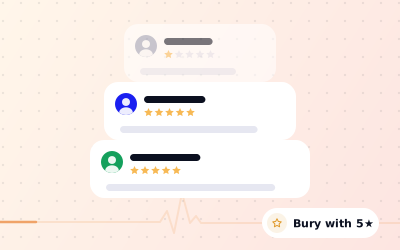
 In short
- There is no way to hide, switch off or filter reviews on your Google Business Profile, and services that promise to are not telling the truth.
- Reviews that break Google's policies can be reported and may be removed. Genuine bad reviews stay.
- A good reply, a steady flow of new genuine reviews and fixing the root cause are what reduce the damage.
- On your own website you choose which reviews to show, but you must not mislead visitors about them.
Can you hide bad reviews on Google?
Start with the correct Google Account and a clear view of which business or location is involved. Platform interfaces can change, so use Google’s current Help instructions for sensitive account, policy or verification decisions.
It also helps to know what doesn't work, because plenty of people will sell you something that doesn't.
| The idea | The reality |
|---|---|
| There's a setting to hide a review | There isn't. Owners can reply to a review or report it, nothing more. |
| You can switch reviews off | There's no option to turn off reviews on a Business Profile. |
| A paid service can suppress reviews | No one outside Google can hide a review. Services can only report, as you can. |
| Start a fresh profile to escape bad reviews | A second profile for the same business is a duplicate. Google can merge or remove it, and you lose your good reviews too. |
| Delete the profile and the reviews go | Removing a profile from your account doesn't remove the place from Google Maps. Reviews belong to the place. |
| Old reviews drop off after a while | Age is never a reason for removal. A five-year-old review stays unless it breaks a policy. |
Report the bad reviews that break Google's rules
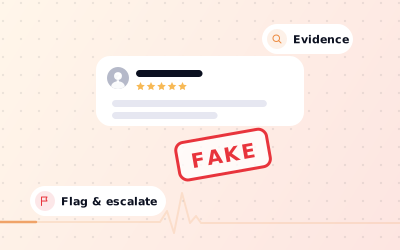
Some bad reviews shouldn't be there at all, and those you can ask Google to remove. A review may qualify if it's fake, from a competitor or ex-employee, off-topic, abusive or hateful, contains someone's personal information, or is spam. A low rating from a real customer, however unfair it feels, doesn't qualify.
Check the review against the policy
Name the rule it breaks. If you can't, it will almost certainly stay.
Report it
Use the flag icon or the review's menu on your profile in Google Search or Maps, or Google's Reviews Management Tool, and pick the matching reason.
Track and appeal
Check the status in the Reviews Management Tool after a few days. If Google finds no violation, you can appeal once.
Our guides explain how to remove negative Google reviews that qualify, how to build a case to remove fake Google reviews, and Google's review policy rule by rule.
Reply so bad reviews work in your favour
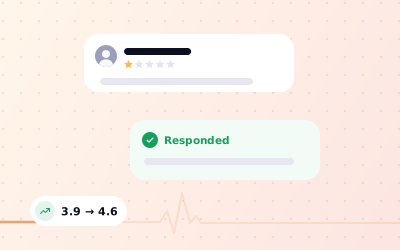
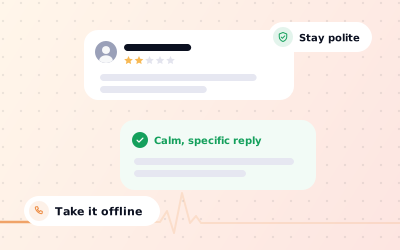
You can't hide a bad review, but you can put a better story underneath it. People reading a 1-star review look straight at the reply. A calm, specific answer that admits what went wrong and says what changed tells them more about you than the complaint does. An angry reply, or no reply, confirms the reviewer's point.
Hi Leo, thank you for telling us. You were right: the room wasn't ready on time, and that's not good enough. We've changed our cleaning rota so rooms are checked an hour before check-in. I'd like to make it up to you; please email me at manager@yourhotel.co.uk. Anita, General Manager
Thank you for the feedback, Kate, and I'm sorry the visit disappointed you. For anyone reading, we're open until 8pm on weekdays, not 6pm, and our hours are kept up to date on this profile. We'd be glad to see you again.
For a full framework and more templates, read how to respond to a negative review on Google.
Earn more genuine reviews to push bad ones down
This is the strategy that does most of what people hope 'hiding' would do. Every genuine new review lowers the weight of an old bad one in your average, and recent reviews are what most people read first. The fewer reviews you have, the faster it works.
| Where you start | Target average | New 5-star reviews needed |
|---|---|---|
| 12 reviews averaging 3.8 | 4.5 | About 17 |
| 20 reviews averaging 4.3 | 4.6 | About 15 |
| 40 reviews averaging 4.0 | 4.5 | About 40 |
| 100 reviews averaging 4.2 | 4.5 | About 60 |
Real life is messier, because not every new review will be five stars, so treat these as a guide. The pattern holds: a profile with plenty of recent, genuine reviews isn't defined by one bad week. To build that flow, ask every customer at the right moment and make it effortless:
- Ask in person as the customer pays, collects or finishes their appointment.
- Put a Google review QR code on tables, counters, receipts and bills.
- Send your Google review link in a thank-you message or email.
- Hand out a Google review card with the QR code printed on it.
- Use a short, friendly script from our guide on how to ask for Google reviews.
Fix the problems behind the bad reviews
The only lasting way to stop bad reviews is to stop the experiences that cause them. Your reviews are free, honest feedback, so treat them like a report.
Collect the evidence
Pull together every 1-, 2- and 3-star review from the last six months.
Tag the themes
Label each one: waiting time, booking, price, cleanliness, staff attitude, product quality.
Pick the biggest theme
Choose the one that comes up most, or the one that's easiest to fix this month.
Fix it and tell people
Change the process, brief the team, and mention the fix in your replies to related reviews.
Check it worked
Over the next couple of months, see whether that complaint fades from new reviews.
Where a fix is in place, contact unhappy customers privately and let them know. Reviewers can edit their own reviews at any time, and many update them once they feel heard. Never offer anything in exchange for an edit; Google removes incentivised changes.
Showing reviews on your own website, honestly
You can't choose which reviews Google shows, but you do choose what goes on your own website. Featuring a handful of good reviews is normal. What you mustn't do is mislead people about them. In the UK, the Digital Markets, Competition and Consumers Act 2024 bans publishing consumer reviews in a misleading way, which includes hiding negative ones while implying you show them all. In the US, the FTC's rule on fake reviews also bans claiming that the reviews you display represent all the reviews you've received when they don't.
- Label a curated set clearly, for example 'A selection of our Google reviews'.
- Don't display an average rating that differs from your real Google rating.
- Link to your full Google profile so visitors can read every review.
- Never edit a customer's words or invent reviews.
Our guide to adding Google reviews to your website covers the options. If you're unsure how the rules apply to you, take legal advice.