Updated October 2026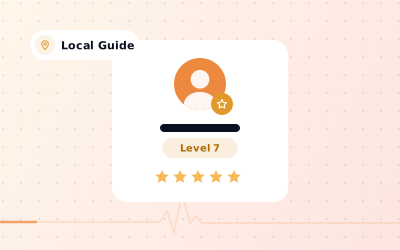
 In short
- Local Guides is Google's free programme for people who contribute to Google Maps.
- Points for reviews, ratings, photos, answers and edits move you through 10 levels, from 0 to 100,000 points.
- Perks are mostly recognition and community, not payment, and Local Guides don't work for Google.
- Buying Local Guide reviews breaks Google's policies and is unlawful under UK and US fake review rules.
What is a Google Maps Local Guide?
Start with the correct Google Account and a clear view of which business or location is involved. Platform interfaces can change, so use Google’s current Help instructions for sensitive account, policy or verification decisions.
It's free, and most people with a Google account can join. Local Guides aren't Google employees and aren't paid for what they contribute. What they get is points, levels and a visible label: under a Local Guide's name on a review, Google shows 'Local Guide' along with how many reviews and photos they've added.
Why it matters to business owners
Local Guides are, by definition, people who review a lot, so you'll see the label on many reviews of your business. Understanding the programme helps you read Local Guides reviews in context, reply to them well and avoid the scams that trade on the Local Guide name.
Local Guide levels and points
Every contribution earns points, and your total points decide your level. There are 10 levels, and the gap between them grows quickly:
| Level | Points needed |
|---|---|
| Level 1 | 0 |
| Level 2 | 15 |
| Level 3 | 75 |
| Level 4 | 250 |
| Level 5 | 500 |
| Level 6 | 1,500 |
| Level 7 | 5,000 |
| Level 8 | 15,000 |
| Level 9 | 50,000 |
| Level 10 | 100,000 |
The early levels come quickly: a couple of reviews with photos will take a new guide past Level 2. The top levels take years of regular contributions. From Level 4, guides get a badge on their Google Maps profile, so you'll often notice it on experienced reviewers.
How Local Guides earn points
| Contribution | Points |
|---|---|
| Review | 10 |
| Bonus for a review over 200 characters | 10 |
| Rating | 1 |
| Photo | 5 |
| Video | 7 |
| Edit to a place's details | 5 |
| Adding a missing place | 15 |
| Checking a fact about a place | 1 |
Answers to questions about places also earn points. Google adjusts these values and the list of contribution types from time to time, so treat the table as a guide; your profile in Google Maps shows your current points and level. Points reward volume, not quality, so a high level tells you someone contributes a lot. It doesn't prove every review they write is fair or accurate.
How to become a Google Local Guide
Joining takes a minute. Google sometimes moves the sign-up option, but you'll find it in the Google Maps app or on Google's Local Guides page.
Sign in to Google Maps
Open the Google Maps app, or Maps in a browser, with the Google account you want to use.
Find the Local Guides option
Tap your profile picture or the Contribute tab and look for the option to join Local Guides.
Accept the terms
Read and accept the programme terms. You can choose whether to receive Local Guides emails.
Start contributing
Review places you've actually visited, add photos and fix details that are wrong or missing.
Track your points
Your profile in Google Maps shows your points, your level and how often your contributions have been viewed.
Local Guide perks and Local Guides Connect
The perks are modest and change over time. Today they're mostly about recognition and community rather than rewards:
- A level and badge on your Google Maps profile that reflects your contribution history.
- Local Guides Connect, Google's online community for guides, where members share tips, photos and programme news, and arrange meet-ups.
- Occasional early access to new Google Maps features, plus newsletters about the programme.
- Events and challenges that Google or the community run from time to time.
Some earlier perks, such as free extra cloud storage, ended years ago, and you'll still find old articles promising them. Treat any website offering 'Local Guide rewards' in exchange for money or your Google sign-in details as a scam.
Local Guide Google reviews: what they mean for your business
When a Local Guide reviews your business, the review appears like any other, with the 'Local Guide' label and their contribution count beside their name. Many readers find reviews from experienced reviewers more credible, especially detailed ones with photos, so a good Local Guide review on Google can be persuasive.
Does a Local Guide review count more for ranking? Google hasn't said so. What Google does say is that local results are based mainly on relevance, distance and prominence, and that your number of reviews and your rating are part of prominence. Every genuine review counts, whoever writes it.
Replying to Local Guide reviews
Treat them like every other review, but expect detail. Experienced reviewers notice copy-and-paste replies, so mention something specific they wrote. Our guide on how to respond to Google reviews has templates you can adapt.
When a Local Guide leaves a negative review
The same rules apply as for anyone else. You can't delete it, and Google removes it only if it breaks a policy, for example by being fake, off-topic or offensive. A calm, specific reply usually does more for your reputation than a report. See how to handle negative Google reviews.
Spotting fake Local Guide accounts
A high level doesn't make an account trustworthy. Be suspicious of guide profiles that post dozens of five-star reviews in different cities within a few days, use near-identical wording across businesses, or review places they couldn't have visited. If an account like that reviews you or a competitor, report the fake review.
Can you buy Google Local Guide reviews?
You'll find sellers offering to let you 'buy Google Local Guide reviews', claiming that reviews from high-level guides look genuine and won't be removed. Don't. Paying for reviews breaks Google's policies whoever writes them, and in the UK and the US it is now against the law.
- Google's policies: Google prohibits fake reviews and reviews given in exchange for money, products or other incentives. It removes them, can restrict a profile from receiving new reviews and can suspend the accounts involved.
- United Kingdom: the Digital Markets, Competition and Consumers Act 2024 made commissioning, buying or hosting fake reviews unlawful from April 2025. The Competition and Markets Authority (CMA) can now enforce consumer law directly, with fines of up to 10% of global turnover.
- Google's commitments to the CMA: in the UK, Google has committed to act against businesses that boost their ratings with fake reviews, including warning notices on their profiles and blocking new reviews.
- United States: the Federal Trade Commission's rule banning fake reviews took effect in October 2024. It covers buying fake positive or negative reviews, and breaking it can lead to civil penalties.
India has its own consumer protection rules on misleading reviews too, so the safe approach for every business is the same: collect genuine reviews from real customers only. There's more detail in our guides to buying Google reviews and Google's review policy.
What to do instead: earn genuine reviews
Local Guides visit businesses like yours every day. The way to get their reviews, and everyone else's, is to make reviewing easy and ask every customer.
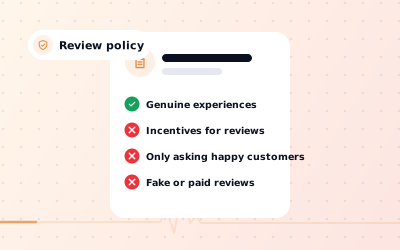
- Ask every customer, not only the happy ones. Asking only satisfied customers (review gating) breaks Google's rules.
- Share your direct Google review link by message or email after a visit.
- Put a Google review QR code on tables, counters and receipts.
- Never offer discounts, gifts or prize draws in return for reviews.
- coordinate responses to customer feedback, so customers can see that you read them.
- Fix what reviews keep mentioning; it improves future reviews more than any script.
For wording and timing, see our guide on how to ask for Google reviews.
Sources: Google Maps Help: About Local Guides; Google Maps Help: Local Guides points, levels & badging; Google Maps content policy: Prohibited & restricted content.