Updated October 2026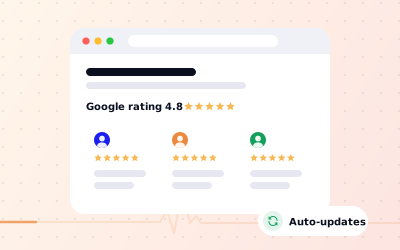
 In short
- The quickest options, a “Read our Google reviews” link and a Google Maps embed, are free and always up to date.
- Widgets and plugins show review text automatically, using Google's APIs behind the scenes.
- Google won't show review stars for markup about your own business, so skip review schema.
- Always link back to your Google profile so visitors can see the full picture.
How do I set up Google reviews for my business?
Start with the correct Google Account and a clear view of which business or location is involved. Platform interfaces can change, so use Google’s current Help instructions for sensitive account, policy or verification decisions.
Create your profile
Add your business to Google with the right name, category and address or service area. See how to create a Google Business Profile.
Verify it
Verification lets you reply to reviews and manage the profile. Our verification guide covers the methods Google may offer you.
Get your review link
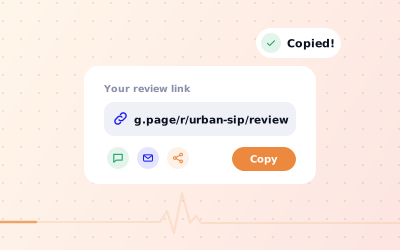
Copy your direct review link so customers reach the review form in one tap. See our Google review link guide.
Start collecting reviews
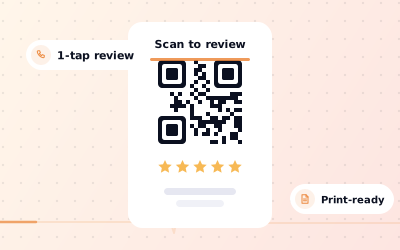
Ask customers, put a QR code at the counter and coordinate responses to customer feedback that comes in.
Customers can review a business on Google Maps even before it has been claimed or verified, but you can't reply to those reviews until you manage the profile.
Five ways to show Google reviews on your website
| Method | Shows review text | Updates itself | Effort | Best for |
|---|---|---|---|---|
| Link to your Google reviews | No | Yes | Minutes | Every site, as a minimum |
| Google Maps embed | Rating and review count only | Yes | Minutes | Contact and location pages |
| Review widget or plugin | Yes | Yes | An hour or less | Home and service pages |
| Places API or Business Profile API | Yes | Yes | Developer time | Custom designs and large sites |
| Manual showcase | Yes, chosen reviews | No | Ongoing | Testimonial sections and print |
Most businesses combine two: a review widget or a manual showcase where people decide, such as the homepage and service pages, and plain links to Google in the footer and on the contact page.
How to link Google reviews to your website
The simplest option is a clear button that opens your reviews on Google. It costs nothing, never goes out of date and shows visitors you are confident enough to send them to the real thing. Add two links: one to read reviews and one to write one.
Copy your Maps link
Open your business in Google Maps, choose Share and copy the link. It opens your full profile, reviews included.
Copy your review link
From your Business Profile, choose Ask for reviews (or Get more reviews) and copy the short link to the review form.
Add both to your site
Add buttons such as “Read our Google reviews” and “Leave us a review” to your homepage, contact page and footer.
Test on a phone
Tap both buttons on a mobile to check they open the right location.
It works the other way too. Make sure the website field on your Business Profile points to your site, so people reading your reviews on Google can click through to you.
How to embed Google reviews on your website
Embed your Google Maps listing
Work through the checks in order, documenting significant changes when more than one colleague manages the profile.
Find your business in Google Maps
Search for it and open its profile.
Get the embed code
Choose Share, then Embed a map, pick a size and copy the HTML.
Paste it into your page
Add the code to your contact or location page using your website builder's HTML or embed element.
Use a Google Business review widget
A Google Business review widget, still often called a Google My Business reviews widget, pulls review text, stars and reviewer names onto your page and updates automatically. Options range from free WordPress plugins to paid services. Before you choose one, check:
- It gets reviews through Google's official APIs rather than copying pages.
- It shows your real overall rating and total review count alongside the reviews.
- It links reviews, or the widget as a whole, back to your Google profile.
- It loads after your main content and doesn't noticeably slow the page.
- You know what happens if you stop paying, as some widgets disappear or show a notice.
- It handles every location you have, if you run more than one.
Places API and Business Profile API basics
- Places API: part of Google Maps Platform. It can return a place's rating, total review count and up to five reviews. You need a Google Cloud project, an API key and a billing account, and you must show Google's required attributions, such as the reviewer's name and Google Maps branding.
- Business Profile API: lets owners and their approved tools list all reviews for the locations they manage, including replies. Access has to be requested and approved by Google.
- Storage rules: Google's terms limit how long most Places content can be stored, so well-built widgets refresh data from Google rather than keeping a permanent copy.
Unless you have a developer, a ready-made widget built on these APIs is the practical route. Developers can find the technical details in Google's Places API documentation.
How to add Google reviews to website builders like WordPress, Wix and Squarespace
Whichever method you choose, you will usually paste a link, an embed code or a widget snippet into your site. Where it goes depends on your builder:
- WordPress: add a Custom HTML block in the block editor, or install your widget's plugin and use its block or shortcode.
- Wix: add an embed element (listed under Embed Code) and paste the code into it.
- Squarespace: use a Code Block or an Embed Block; what you can add depends on your plan.
- Shopify: add a custom Liquid or HTML section in the theme editor, or use a reviews app.
- Hand-coded sites: paste the code where you want it to appear, then test on a phone.
Builders rename these elements from time to time. If you can't find one, search your builder's help pages for “embed HTML”.
How to create a Google review page on your website
A dedicated reviews page, such as yoursite.com/reviews, gives you somewhere to send people and something to link from emails and social media. Here is how to make a Google review page that does its job:
Lead with your real rating
Show your current Google rating and total review count, with a link to your profile so visitors can check it.
Show recent reviews
Use a widget so the newest reviews appear automatically, or refresh a hand-picked selection every month.
Add a clear review button
Include a “Leave us a Google review” button using your direct review link, plus a QR code for people reading on a computer.
Say what happens to feedback
Add a line explaining that you read every review, and how to contact you if something went wrong.
Link to the page
Link it from your menu or footer, your booking confirmation emails and your email signature.
Review schema: what Google allows
Keep displayed information current and avoid presenting only selected comments as a representative sample.
- Google doesn't show review stars for a LocalBusiness or Organization when the business itself controls the reviews about it, which is what “self-serving” review markup means.
- Google's guidelines also say not to mark up reviews or ratings taken from other websites, which includes reviews copied from Google.
- Markup that breaks the guidelines can be ignored, and Google can take manual action against a site's structured data.
- Your stars already appear on Google in your Business Profile, so there is nothing to gain.
You can still use LocalBusiness markup for your name, address, phone number and opening hours. Google's review snippet guidelines explain the rules in full.
Keep the reviews on your site fresh
A reviews section only helps if the reviews behind it keep coming. A page of reviews from two years ago tells visitors more about the past than the present. Keep asking customers, using the scripts in our guide on how to ask for Google reviews, and coordinate responses to customer feedback, because visitors who click through to Google will read your replies too.