Updated October 2026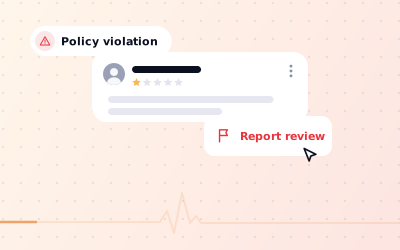
 In short
- Only the reviewer can delete their own review. Google will remove Google reviews from business profiles only when they break its policies or the law.
- Report policy-breaking reviews from your Business Profile or Google Maps, then track them in the Reviews Management Tool.
- Genuine negative reviews stay up, so a calm public reply is your most useful tool.
- Nobody can pay Google to remove reviews. Avoid services that promise guaranteed removal.
Can you remove Google reviews?
Start with the correct Google Account and a clear view of which business or location is involved. Platform interfaces can change, so use Google’s current Help instructions for sensitive account, policy or verification decisions.
| Who | When | How |
|---|---|---|
| The reviewer | At any time, for any reason | They edit or delete it from their own Google account |
| Google, for policy reasons | When the review breaks Google's content policies | After someone reports it, or when Google's own systems catch it |
| Google, for legal reasons | When content is unlawful in a particular country, for example defamatory | After a legal removal request, sometimes only with a court order |
So the honest answer to “how do I remove a Google review?”, or “can you remove a bad Google review?”, is: report it if it breaks the rules, request legal removal if it is unlawful, and reply if it is neither. The rest of this guide covers each route in turn. None of them is guaranteed, and anyone who promises otherwise is not telling you the truth.
How to delete a Google business review you wrote
If you are the reviewer and want to remove your own review, it takes seconds. Open Google Maps, go to your contributions, find the review, open its More menu and choose to delete it. Our guide on how to leave a Google review shows where to find your reviews on a phone and a computer.
Which Google reviews break the rules
Google removes reviews that break its policies for content that people add to Maps. These are the categories that matter most to businesses:
| Policy area | What it looks like |
|---|---|
| Fake engagement and spam | Reviews from fake or bought accounts, bots or people who were never customers, or a burst of near-identical reviews in a short time |
| Conflict of interest | Reviews by competitors, current or former staff or the owner, and reviews written in exchange for a reward |
| Off-topic content | Rants about politics or the news, or reviews meant for a different business or location |
| Profanity and sexually explicit content | Swearing, obscene language or sexual content |
| Harassment and hate speech | Personal attacks on named staff, threats, or attacks on people because of who they are |
| Personal information | Someone's phone number, home address, medical details or other private information |
| Impersonation | A review posted by someone pretending to be another person or organisation |
| Illegal or dangerous content | Content that promotes illegal activity or is otherwise unlawful |
Google's full policy list is longer and changes over time. Our Google review policy guide summarises it, and Google publishes the current version as its prohibited and restricted content policy for Maps.
What doesn't qualify for removal
Most bad Google reviews are not policy violations, and reporting them won't work. Google won't remove a review just because:
- It is negative, harsh or, in your view, unfair.
- It gives one star and has no text.
- You disagree with how it describes a genuine experience.
- It is old, or the problem it describes has since been fixed.
- It complains about prices, waiting times or staff behaviour that the customer didn't like.
- You can't find the person in your records. Google can't confirm who your customers are, so this alone is rarely enough. Look for other signs, such as an account that only posts 1-star reviews or details that don't match your business.
If you want to know how to delete bad reviews on Google that are simply critical, the answer is that you can't, and your time is better spent on the reply and the fix, both covered below.
How to remove bad Google reviews that break the rules
Reporting is how to remove bad reviews from Google My Business, now Google Business Profile, when they break the rules: you ask Google to look at the review against its policies. You can report from your Business Profile as an owner or manager, or from Google Maps, where anyone can report a review. Report each review once, and choose the reason that matches the problem best.
From your Business Profile in Google Search
Open your profile
Sign in with an owner or manager account and search Google for your business name to open your Business Profile tools.
Go to your reviews
Choose Reviews, or Read reviews, to see the reviews on your profile.
Open the review's menu
Find the review and select the three-dot More menu beside it.
Report it
Choose Report review, select the reason that fits, such as spam, conflict of interest, off topic or harassment, and submit.
From the Google Maps app
Find the review
Open your business in Google Maps, tap the Reviews tab and scroll to the review.
Open the menu
Tap the three-dot More menu next to the review.
Report it
Tap Report review, choose the reason and submit.
Google moves these menus from time to time, and the reasons may be worded differently on your screen. If you manage many locations, the same option is on each location's reviews. For advice on specific cases, see our guides on removing fake Google reviews and removing negative Google reviews.
Check status or appeal in the Reviews Management Tool
Google's Reviews Management Tool shows the reviews you have reported for a profile and what happened to them. You will find it through the Business Profile Help Center: search the Help Center for “Reviews Management Tool”.
Open the tool
Sign in with the Google account that manages the profile and open the Reviews Management Tool from the Business Profile Help Center.
Choose the profile
Select the account and the location that the review is on.
Check the status
See each review you have reported and whether Google has made a decision or is still assessing it.
Report from the tool if needed
You can also report a review for removal from here if you haven't already reported it.
Appeal a decision
If Google decided a review doesn't break its policies and you disagree, submit an appeal. Explain clearly which policy it breaks and why.
Decisions can take several days, and Google doesn't promise a timescale. Appeals are limited, so make yours count: be specific, stay factual and stick to the policy rather than how the review makes you feel. If the appeal is turned down, the review stays, and your reply becomes the part you control.
Review extortion and sudden waves of fake reviews
If a flood of fake reviews appears, or someone threatens to post bad reviews unless you pay them, don't pay and don't negotiate. Keep the messages, report every review and tell Google about the extortion attempt through the Business Profile Help Center, which has guidance for this situation. Threats and blackmail can also be reported to the police.
Legal removal requests for defamatory reviews
Some reviews go beyond unfair. They make false statements of fact that damage your business, such as accusing you of a crime you didn't commit. Content like this may be unlawful, and Google handles it through a separate legal process in its Legal Help Center, not the Business Profile tools.
- Use Google's form for reporting content for legal reasons, and choose the country and the legal issue, such as defamation.
- Identify the exact review and quote the specific statements you say are false.
- Explain why they are false and the harm they cause, with evidence where you have it.
- Expect Google to assess the request against local law. In some countries it may want a court order before it removes content.
Defamation is a high bar. In England and Wales, for example, a business has to show that a statement has caused, or is likely to cause, it serious financial loss. Opinions such as “the worst haircut I've ever had”, and true but unflattering facts, are not defamatory. Take advice from a solicitor or lawyer before you threaten a reviewer, because an aggressive legal letter can backfire badly if the reviewer makes it public.
When you can't remove a review: how to get rid of the damage
If you are looking for how to get rid of bad Google reviews that describe real experiences, the answer is to outweigh them, not erase them. For most negative reviews, removal isn't an option, and that is not the end of the world. Readers expect some criticism; what they judge is how you deal with it. Here is the process that works:
Reply publicly within a day
Thank them, apologise for their experience without arguing and give a named contact. Our guide on how to respond to Google reviews has templates.
Resolve it privately
If they get in touch, fix the problem properly. Some customers then choose to update or delete their review. That has to be their decision: never offer a refund, discount or gift in exchange.
Update your reply
Once it is resolved, add a short note to your reply so readers can see the outcome.
Fix the cause
If the same complaint appears more than once, change the process behind it.
Keep genuine reviews coming
Ask every customer for an honest review. New reviews put a single bad one in context and show readers how you are doing now. See how to ask for Google reviews.
There is no setting that hides reviews from your profile either. Our guide to hiding bad Google reviews explains what you can and can't control, and our guide to handling negative Google reviews goes deeper into replies.
Pay to remove Google reviews? Why to avoid these services
Search “remove Google review” and you will find companies offering to remove Google reviews for a fee, sometimes “guaranteed” or “pay only if it's removed”. Be very careful. Google doesn't sell review removal, and no partner, agency or advertiser can buy it. Spending money on Google Ads makes no difference to how your reviews are treated.
These services can only do what you can do yourself for free: report reviews, appeal and make legal requests. Some go further, in ways that can hurt you:
- Mass-reporting reviews from many accounts, which is itself a form of manipulation.
- Pressuring or paying reviewers to delete their reviews, which can turn a complaint into a public row.
- Sending sham legal or copyright notices that can create legal risk for you.
- Asking for your Google account login, which hands a stranger control of your profile.
- Bundling “removal” with fake positive reviews to bury the bad ones, which breaks Google's policies and, in the UK and US, the law.