Updated October 2026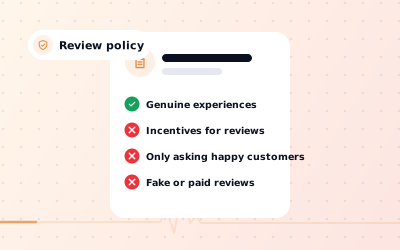
 In short
- Google's rules for reviews sit in its prohibited and restricted content policy for Maps, which applies to reviewers and businesses alike.
- Genuine complaints are allowed, however harsh. Fake, off-topic, abusive or conflicted reviews are not.
- Businesses must not pay or reward people for reviews, ask only happy customers, or review themselves or competitors.
- Owners report reviews from their profile or the Reviews Management Tool, and can appeal a decision once.
What Google's review policy covers
Start with the correct Google Account and a clear view of which business or location is involved. Platform interfaces can change, so use Google’s current Help instructions for sensitive account, policy or verification decisions.
- For reviewers: what a review may and may not contain, and who may write one.
- For businesses: how you may and may not ask for reviews, and what you must never do to influence them.
Owners can't edit or delete reviews on their own profile. They can reply publicly, and report reviews that break the policy so Google can decide whether to remove them.
What reviewers can't post
Google groups its rules into categories. These are the ones that matter most for business reviews.
| Policy area | What it means | Example |
|---|---|---|
| Fake engagement | Content must reflect a real experience, from one account per person, with no payment or reward | A 5-star review bought from a seller |
| Conflict of interest | No reviews from owners, staff, former staff, contractors, family or competitors | An ex-employee's 1-star review after a dispute |
| Impersonation and misrepresentation | No pretending to be someone else or misleading about who you are | A rival posing as a customer |
| Off-topic | Reviews must be about the experience, not politics, the news or another business | A rant about a local planning decision |
| Harassment and hate speech | No threats, bullying or attacks on people for who they are | Abuse aimed at a named employee |
| Offensive, obscene or explicit content | No profanity, obscenity, sexually explicit or gory content | A review full of swearing |
| Personal information | No private details such as phone numbers, addresses or health information | A staff member's home address |
| Advertising and solicitation | No promotions, links or contact details used to sell | A review advertising another salon |
| Repetitive or unclear content | No copied text, gibberish or the same review posted again and again | One review pasted across several branches |
Google also bans illegal, dangerous and terrorist content and restricts some regulated topics. Category names change from time to time, so check the policy itself if a case is borderline.
What businesses can't do to get reviews
Most review policy problems for owners come from the way reviews are collected. Under Google's rules, a business must not:
- Pay for reviews, or offer discounts, free items, prize draws or other rewards for them.
- Offer anything for changing or removing a negative review.
- Ask only customers it expects to be happy (review gating), or discourage negative reviews.
- Set staff review quotas, or pressure customers to leave a rating on the premises.
- Tell customers what to write, or ask for particular words in their review.
- Review its own business, or ask staff, family or friends to.
- Post reviews on a competitor's listing, or ask anyone else to.
- Buy reviews from a seller or join review-swap groups.
What you can do is ask every customer for an honest review and make it easy. A Google review link, a review QR code and a friendly ask at the counter are all fine. In the UK and the US, fake and incentivised reviews are also unlawful; see why buying Google reviews backfires.
How Google handles complaints in business reviews
A review that complains about a genuine experience is allowed, even if it's angry, one-sided or, in the owner's view, unfair. Google doesn't check the facts in each review or settle disputes between customers and businesses, and it won't remove a review because the business disagrees with it. The reply is your chance to give your side.
A complaint crosses the line when it breaks one of the rules above: it reveals someone's personal information, abuses a named person, wanders off-topic, or wasn't written by a real customer at all.
If you're a business with a complaint about a review
Report the review if it breaks a policy, then reply calmly either way. Our guides explain how to remove negative Google reviews that qualify and how to respond to a negative review on Google when they don't.
If you're a customer with a complaint about a business
Leave an honest review of your experience, stick to the facts and keep personal details out. If you think a listing itself is fake or misleading, use the 'Suggest an edit' or report option on the listing in Google Maps. For a consumer dispute, such as a refund, contact the business first, then a consumer body such as Citizens Advice in the UK or the National Consumer Helpline in India. Google isn't a regulator and can't resolve the dispute for you.
How Google enforces the review policy
Work through the checks in order, documenting significant changes when more than one colleague manages the profile.
- Remove the review or filter it so it isn't shown publicly.
- Restrict a Business Profile that has received fake engagement: pausing new reviews for a set period, unpublishing existing reviews for a set period, or showing customers a warning that fake reviews were removed.
- Suspend a Business Profile for serious or repeated breaches.
- Take action against the accounts that post fake or abusive content.
Google emails owners before applying a restriction, and you can appeal through the link on its page about Business Profile restrictions for policy violations. If reviews have vanished and you're not sure why, see why Google reviews disappear.
How to report a review that breaks the policy
Name the rule it breaks
Match the review to one of the policy areas above. If you can't, it will almost certainly stay.
Report it
On your profile in Google Search or Maps, use the flag icon or the review's menu and choose a reason. Or open the Reviews Management Tool from the Business Profile Help Center, select your business and report the review there.
Check the status
In the Reviews Management Tool, each report shows as decision pending, reviewed with no policy violation, or escalated. Google says evaluation usually takes several days.
Appeal once if needed
If Google finds no violation, you can submit a one-time appeal, for up to ten reviews at once. Google emails the final decision.
Google's help page on reporting inappropriate reviews has the current steps. Two separate routes exist for special cases: a merchant extortion report form if someone demands money to remove or stop negative reviews, explained on Google's page about review extortion scams, and a legal removal request for content that may be unlawful. For suspected fake reviews, see how to remove fake Google reviews.
Staying compliant when you ask for reviews
The simplest way to stay on the right side of the policy is to ask every customer the same way, every time, with no reward attached, and to coordinate responses to customer feedback you get. Our guide on how to ask for Google reviews has scripts for different businesses.