Updated October 2026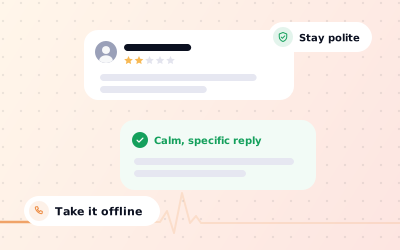
 In short
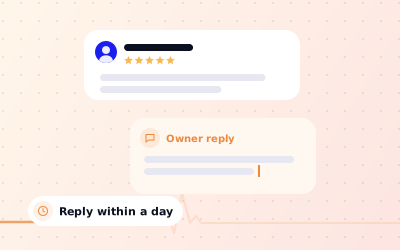
- Reply within a day or two, once you've cooled down. The reply is mainly for the customers who read it later.
- Thank them, name the problem, apologise for the experience, explain briefly, say what changes and offer a direct contact.
- Never argue, share private details, or offer anything in exchange for changing the review.
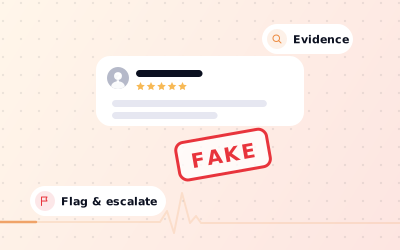
- Report a review only if it breaks Google's policies, and reply to it anyway.
Before you reply: read it twice and check the facts
Start with the correct Google Account and a clear view of which business or location is involved. Platform interfaces can change, so use Google’s current Help instructions for sensitive account, policy or verification decisions.
- Is this a real customer? Check bookings, receipts or your team's notes for the name and date.
- What exactly went wrong? Separate the facts (a late order, a wrong charge) from the feelings (angry, let down).
- Is any of it fair? Most negative reviews contain at least one point you can agree with.
- Does it break Google's policies? If it's fake, off-topic, abusive or from a competitor, plan to report it as well as reply.
- Who should reply? The owner or the manager responsible, not whoever happens to see it first.
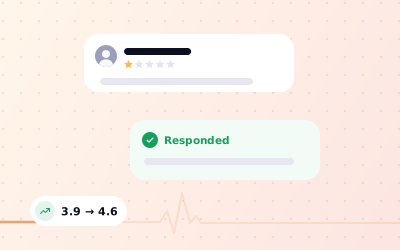
Remember who the reply is really for. The reviewer may or may not come back. Everyone who reads your profile next week, next month and next year will see how you handled it.
How to respond to a negative review on Google: six steps
This framework works for almost every genuine complaint, from a cold coffee to a cancelled appointment. Keep the whole reply to three to five sentences.
Thank them by name
Use the name shown on the review. 'Hi Ravi, thank you for taking the time to tell us' sounds like a person; 'Dear valued customer' sounds like a template.
Acknowledge the specific problem
Repeat the issue in your own words so they know you read it: the 30-minute wait, the missing item, the call nobody returned.
Apologise for the experience
You can be sorry for how they felt without agreeing with every detail. 'I'm sorry your visit wasn't what you expected' is honest and calm.
Explain briefly, only if it helps
One sentence of context is fine, such as a supplier problem that day. Skip it if it would sound like an excuse.
Say what you're changing
Name one concrete action: a new booking buffer, a refresher for the team, a fixed process. Vague promises read as no promise at all.
Take it offline
Give a named person and a direct email or phone number, and invite them to get in touch so you can put it right.
Where to post the reply
Sign in with the Google account that manages the profile, search for your business name on Google or open the Google Maps app, and open your reviews. Choose 'Reply' under the review, write your response and post it. If you run several locations, Business Profile Manager on the web (business.google.com) lists them all. Google moves these menus from time to time, but the reply option always sits next to the review. You can edit or delete your reply later if you need to.
Templates for the most common negative reviews
Use these as a starting point, not a copy-and-paste. Change the details so every reply mentions something specific from the review. Replace the names, email addresses and fixes with your own.
Hi Emma, thank you for the honest feedback. Waiting 35 minutes for lunch isn't the experience we want for anyone, and I'm sorry. We were a cook short that day, and we've since added cover for busy shifts. Please email me at sarah@yourcafe.co.uk; I'd love to make your next visit a better one. Sarah, Manager
Hi Daniel, I'm sorry. Being spoken to like that is not acceptable, and it's not how we train our team. I've raised it with the staff involved and we're going over it together this week. If you're willing to share more, please call me on the number on our website. Imran, Owner
Thank you, Meera, and I'm sorry the order arrived damaged. That should have been caught before it left us. We've added a packing check for fragile items. Please reply to your order email or contact hello@yourshop.in and we'll sort it out for you directly.
Hi Tom, thank you for raising this. I'm sorry the bill came as a surprise. Our prices are listed on our website and at the counter, but we can clearly make the extra charges easier to spot, and we're updating our menu boards. I'd like to go through your bill with you; please email accounts@yourbusiness.co.uk.
Hi Priya, thank you for your rating. We're sorry we fell short. If you can tell us what went wrong, we'd like to put it right. Please get in touch at hello@yourbusiness.co.uk.
Hi Chris, we take every review seriously, but we can't find a visit or booking that matches this one. If you were with us, please contact us at hello@yourbusiness.co.uk with the date so we can look into it properly.
What never to say in a public reply
A defensive reply can do more damage than the review itself, because it shows every future customer how you treat people when things go wrong. Avoid these, however tempting.
- Arguing with the reviewer, correcting them point by point or calling them a liar.
- Threatening legal action, or mentioning that you've reported them to Google.
- Sharing anything private: what they ordered, what they paid, their booking history or their health.
- Blaming a named member of staff in public.
- Offering a refund, discount or gift in the reply. It invites more complaints and can look like you're buying a better review.
- Asking them to delete or change the review in exchange for anything.
- Posting the same word-for-word reply under every complaint.
- Writing the reply while you're still angry.
Escalating offline and following up
The public reply opens the door; the real work happens in private. When the customer gets in touch, listen first, ask what would put things right, and do it if you reasonably can. Then follow up a few days later to check they're happy.
Hi Emma, it's Sarah from the café. Thank you for getting in touch after your review. I'm sorry again about the wait on Saturday. We've added an extra cook for weekend lunches, and I'd like to invite you back so we can show you the difference. If there's anything else we should know, I'm here.
Once things are resolved, it's fine to say something like 'if you feel differently now, you're welcome to update your review'. Say it once, with no pressure and nothing offered in return. If the customer edits their review to add more criticism, update your public reply once if it needs it, then leave it. A long public back-and-forth only makes both sides look worse.
When to report a negative review
Offer one realistic next step through the business’s authorised support channel.
- Fake reviews from people who were never customers, or several reviews from one person.
- Reviews from competitors, current or former employees, or relatives (a conflict of interest).
- Harassment, hate speech, threats or obscene language.
- Private information such as a staff member's phone number or address.
- Off-topic rants about politics, the news or a different business, and spam or adverts.
A low rating or a harsh opinion from a real customer isn't a policy breach, and reporting it won't get it removed. Our guides explain what qualifies for removing a negative review, how to build a case to remove fake Google reviews, and Google's review policy in plain English.
Handling negative reviews across many locations
For a network of branches, record the responsible person, the approved information and the completion status for each location. This makes it easier to spot omissions without assuming that one change applies everywhere.
Agencies can give each client their own access, so the client sees replies going out without needing the agency's Google logins. See Google reviews management for the full workflow.
Sources: Google Business Profile Help: Report inappropriate reviews on your Business Profile; Google Maps content policy: Prohibited & restricted content; Google Business Profile Help: Manage customer reviews.